प्राकृतिक दृश्य सुझाव: ChatGPT
प्राकृतिक दृश्य: सुबह की धुंध में अल्पाइन मेडो
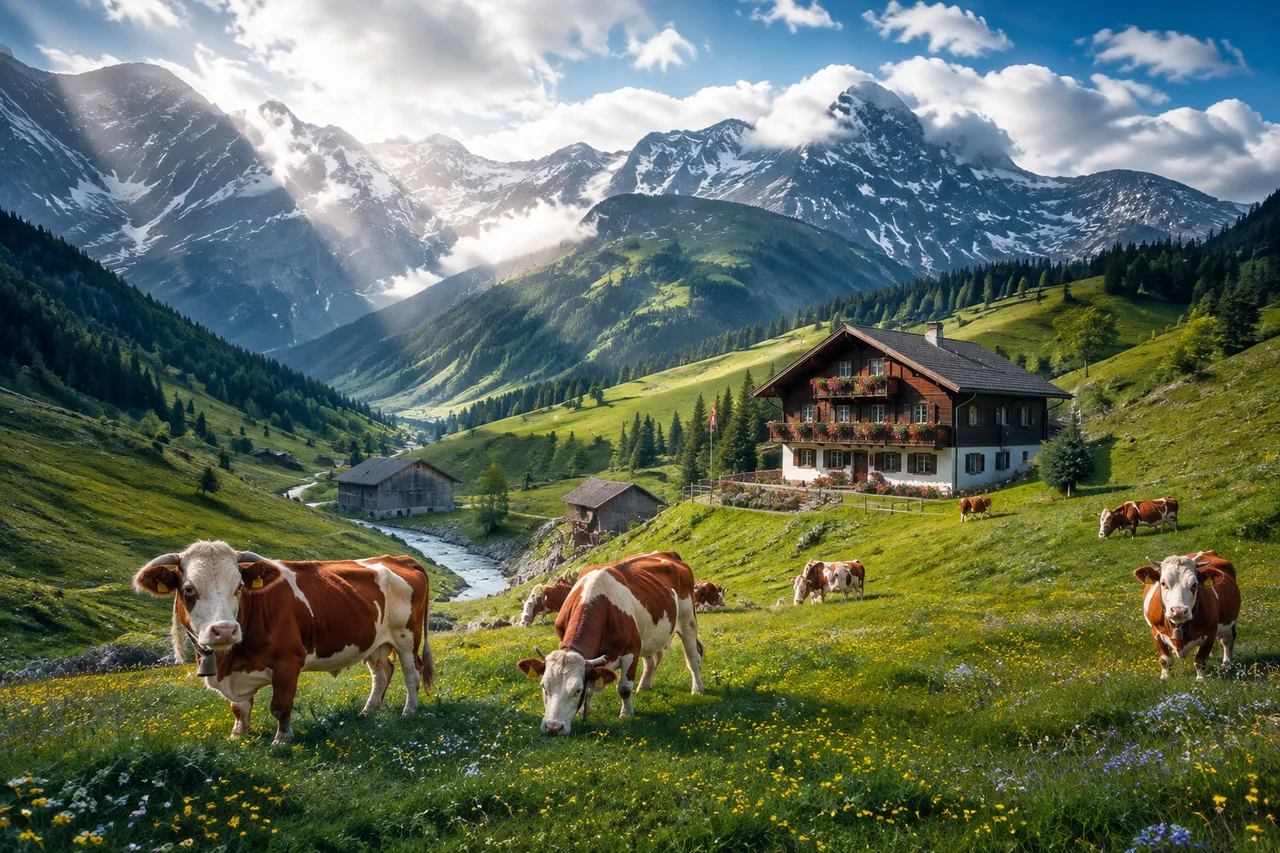
स्विस घाटी का चरागाह: हरी ढलानें + लकड़ी की कुटियाँ + गायों की घंटियाँ + धुंध में लिपटी सुबह की रोशनी, लाइफ़स्टाइल कंटेंट के लिए देहाती सुकून।
पूरा प्रॉम्प्ट (अंग्रेज़ी में)
Serene landscape photograph of a lush alpine meadow in the Swiss Alps in late spring, emerald-green slopes dotted with a small herd of brown-and-white cows with bells, scattered buttercups and forget-me-nots adding specks of yellow and blue, a traditional chalet with flower-laden wooden balconies nestled among the grass, hay barns with weathered grey timber, a crystal stream winding through a shallow valley, the gentle morning light breaking through drifting clouds creating sweeping god rays and moving light pools on the hillsides, snow-dusted grey peaks towering in the background, shot on a 35mm lens, crisp detail on the grass blades with soft background compression, wholesome pastoral atmosphere, saturated natural colors, high dynamic range, 8k Output only this single finalized photograph, with no alternative options or follow-up questions.
वैसा ही चित्र बनाएँ:
ऊपर दिया प्रॉम्प्ट कॉपी करें → ChatGPT खोलें → पेस्ट करके भेजें (इमेज मॉडल बदल सकते हैं) → नतीजे का इंतज़ार करें।
ChatGPT खोलें ↗
इस्तेमाल के पूरे निर्देशों के लिए
ट्यूटोरियल देखें।
अक्सर पूछे जाने वाले सवाल
यह चित्र कैसे बनाएँ?▾
ऊपर दिया अंग्रेज़ी प्रॉम्प्ट कॉपी करें, फिर ChatGPT खोलें, इमेज मॉडल पर स्विच करें, पेस्ट करके भेजें और मिलते-जुलते चित्र का इंतज़ार करें।
कौन सा AI टूल इस्तेमाल करना चाहिए?▾
सुझाव: ChatGPT। लंबे अंग्रेज़ी प्रॉम्प्ट को सपोर्ट करने वाला चैट-आधारित इमेज जनरेटर मिलते-जुलते नतीजे दे सकता है।
क्या मैं इस प्रॉम्प्ट को अपनी पसंद के अनुसार बदल सकते हैं?▾
हाँ। बस विषय, स्टाइल, रंग और कंपोज़िशन के शब्द अपने हिसाब से बदलें; विवरण आमतौर पर बदलने योग्य हिस्से बता देता है (जैसे: swap X for Y)।
क्या नमूना चित्र मुफ़्त में इस्तेमाल किए जा सकते हैं?▾
नमूना चित्र इस साइट ने उसी प्रॉम्प्ट से बनाए हैं और सिर्फ़ प्रदर्शन के लिए हैं। प्रॉम्प्ट की सामग्री आज़ादी से कॉपी और इस्तेमाल की जा सकती है; व्यावसायिक उपयोग के लिए अपने द्वारा इस्तेमाल किए गए AI टूल की शर्तें देखें।