फ़ोटोग्राफ़ी सुझाव: ChatGPT
मैक्रो फ़ोटोग्राफ़ी: मोनार्क तितली के पंख के शल्क
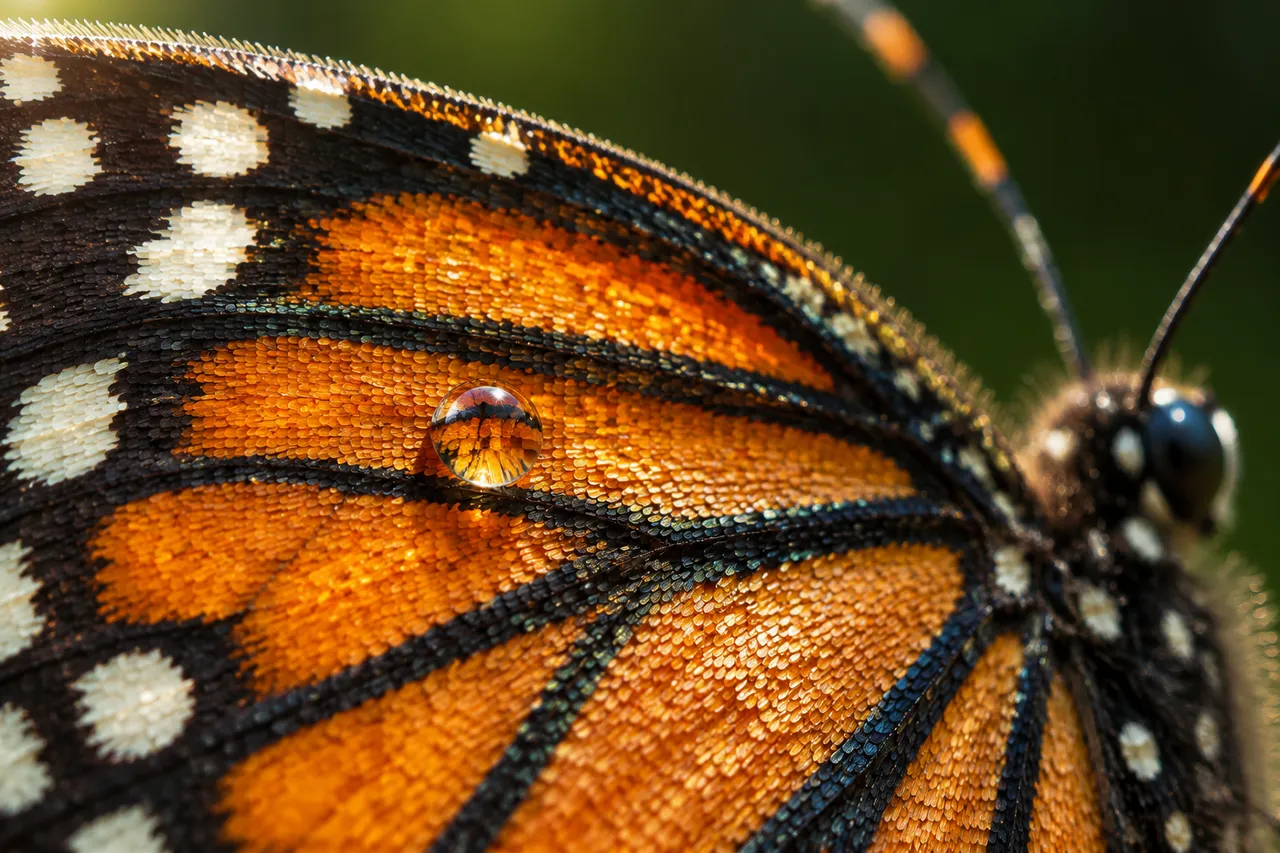
मोनार्क तितली के पंख पर हज़ारों शल्क नारंगी-काले नमूने बुनते हैं, इंद्रधनुषी चमक घूमती है और एक ओस-बूँद नीचे का नमूना बड़ा दिखा देती है।
पूरा प्रॉम्प्ट (अंग्रेज़ी में)
Extreme macro photograph of a monarch butterfly wing, the wing covered in thousands of tiny overlapping scales forming bold patterns of burnt orange, black veins and white spots, the scales with a subtle iridescent sheen, fine fuzzy hairs along the wing edge, translucent wings with visible veins shimmering in the light, the body and antenna softly blurred at the edge of the frame, one compound eye catching a tiny glint of light, a single dewdrop resting on one scale magnifying the scale pattern beneath, background of pure dark green bokeh, soft diffused morning light from the upper left with a gentle sheen on the scales, close-up macro shot parallel to the wing surface, medium-bright exposure with fine film grain, shallow depth of field with the center scales tack sharp, delicate natural wonder mood, ultra-detailed scale texture and pattern symmetry, 4k
वैसा ही चित्र बनाएँ:
ऊपर दिया प्रॉम्प्ट कॉपी करें → ChatGPT खोलें → पेस्ट करके भेजें (इमेज मॉडल बदल सकते हैं) → नतीजे का इंतज़ार करें।
ChatGPT खोलें ↗
इस्तेमाल के पूरे निर्देशों के लिए
ट्यूटोरियल देखें।
अक्सर पूछे जाने वाले सवाल
यह चित्र कैसे बनाएँ?▾
ऊपर दिया अंग्रेज़ी प्रॉम्प्ट कॉपी करें, फिर ChatGPT खोलें, इमेज मॉडल पर स्विच करें, पेस्ट करके भेजें और मिलते-जुलते चित्र का इंतज़ार करें।
कौन सा AI टूल इस्तेमाल करना चाहिए?▾
सुझाव: ChatGPT। लंबे अंग्रेज़ी प्रॉम्प्ट को सपोर्ट करने वाला चैट-आधारित इमेज जनरेटर मिलते-जुलते नतीजे दे सकता है।
क्या मैं इस प्रॉम्प्ट को अपनी पसंद के अनुसार बदल सकते हैं?▾
हाँ। बस विषय, स्टाइल, रंग और कंपोज़िशन के शब्द अपने हिसाब से बदलें; विवरण आमतौर पर बदलने योग्य हिस्से बता देता है (जैसे: swap X for Y)।
क्या नमूना चित्र मुफ़्त में इस्तेमाल किए जा सकते हैं?▾
नमूना चित्र इस साइट ने उसी प्रॉम्प्ट से बनाए हैं और सिर्फ़ प्रदर्शन के लिए हैं। प्रॉम्प्ट की सामग्री आज़ादी से कॉपी और इस्तेमाल की जा सकती है; व्यावसायिक उपयोग के लिए अपने द्वारा इस्तेमाल किए गए AI टूल की शर्तें देखें।