वाहन सुझाव: ChatGPT
वाहन फ़ोटोग्राफ़ी: बरसाती सड़क पर गुज़रती लाल डबल-डेकर बस
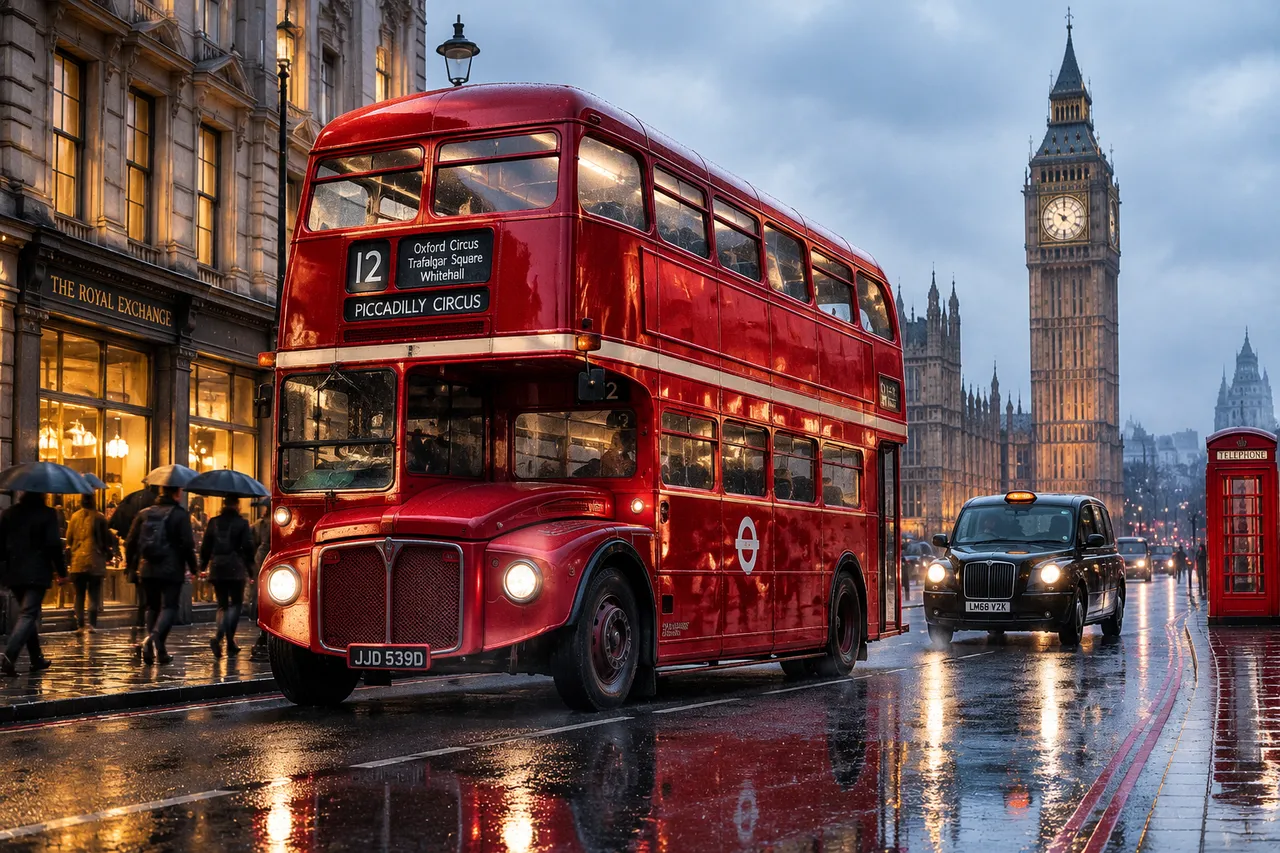
लाल डबल-डेकर बस भीगी सड़क से गुज़रती है, बस की चमकदार पेंट स्लेटी-नीले आकाश की झलक दिखाती है, बिग बेन और सड़क की परछाइयाँ साथ चलती हैं।
पूरा प्रॉम्प्ट (अंग्रेज़ी में)
Photorealistic side three-quarter view of a classic red London double-decker bus driving along a wet street beside the Big Ben clock tower, glossy pillar-box-red paint with cream trim and a bold white route number board, chrome grille and round headlights, upper-deck windows reflecting the gray-blue morning sky, slight motion blur on the wheels with crisp body detail, dynamic driving pose, red paint catching soft overcast daylight, wet asphalt mirroring the bus and the gothic clock tower, warm amber light spilling from shop windows on the left, cool daylight from the right, a black cab and a red telephone box in the background, fine raindrops on the windscreen, a few commuters with umbrellas on the pavement, dominant red, gray and amber palette, medium shot at street level, photorealistic paint gloss and glass reflections, cinematic city mood, 4k
वैसा ही चित्र बनाएँ:
ऊपर दिया प्रॉम्प्ट कॉपी करें → ChatGPT खोलें → पेस्ट करके भेजें (इमेज मॉडल बदल सकते हैं) → नतीजे का इंतज़ार करें।
ChatGPT खोलें ↗
इस्तेमाल के पूरे निर्देशों के लिए
ट्यूटोरियल देखें।
अक्सर पूछे जाने वाले सवाल
यह चित्र कैसे बनाएँ?▾
ऊपर दिया अंग्रेज़ी प्रॉम्प्ट कॉपी करें, फिर ChatGPT खोलें, इमेज मॉडल पर स्विच करें, पेस्ट करके भेजें और मिलते-जुलते चित्र का इंतज़ार करें।
कौन सा AI टूल इस्तेमाल करना चाहिए?▾
सुझाव: ChatGPT। लंबे अंग्रेज़ी प्रॉम्प्ट को सपोर्ट करने वाला चैट-आधारित इमेज जनरेटर मिलते-जुलते नतीजे दे सकता है।
क्या मैं इस प्रॉम्प्ट को अपनी पसंद के अनुसार बदल सकते हैं?▾
हाँ। बस विषय, स्टाइल, रंग और कंपोज़िशन के शब्द अपने हिसाब से बदलें; विवरण आमतौर पर बदलने योग्य हिस्से बता देता है (जैसे: swap X for Y)।
क्या नमूना चित्र मुफ़्त में इस्तेमाल किए जा सकते हैं?▾
नमूना चित्र इस साइट ने उसी प्रॉम्प्ट से बनाए हैं और सिर्फ़ प्रदर्शन के लिए हैं। प्रॉम्प्ट की सामग्री आज़ादी से कॉपी और इस्तेमाल की जा सकती है; व्यावसायिक उपयोग के लिए अपने द्वारा इस्तेमाल किए गए AI टूल की शर्तें देखें।