
インフォグラフィック 推奨:ChatGPT
サイエンス図表:唐辛子の辛さスコヴィルランキング
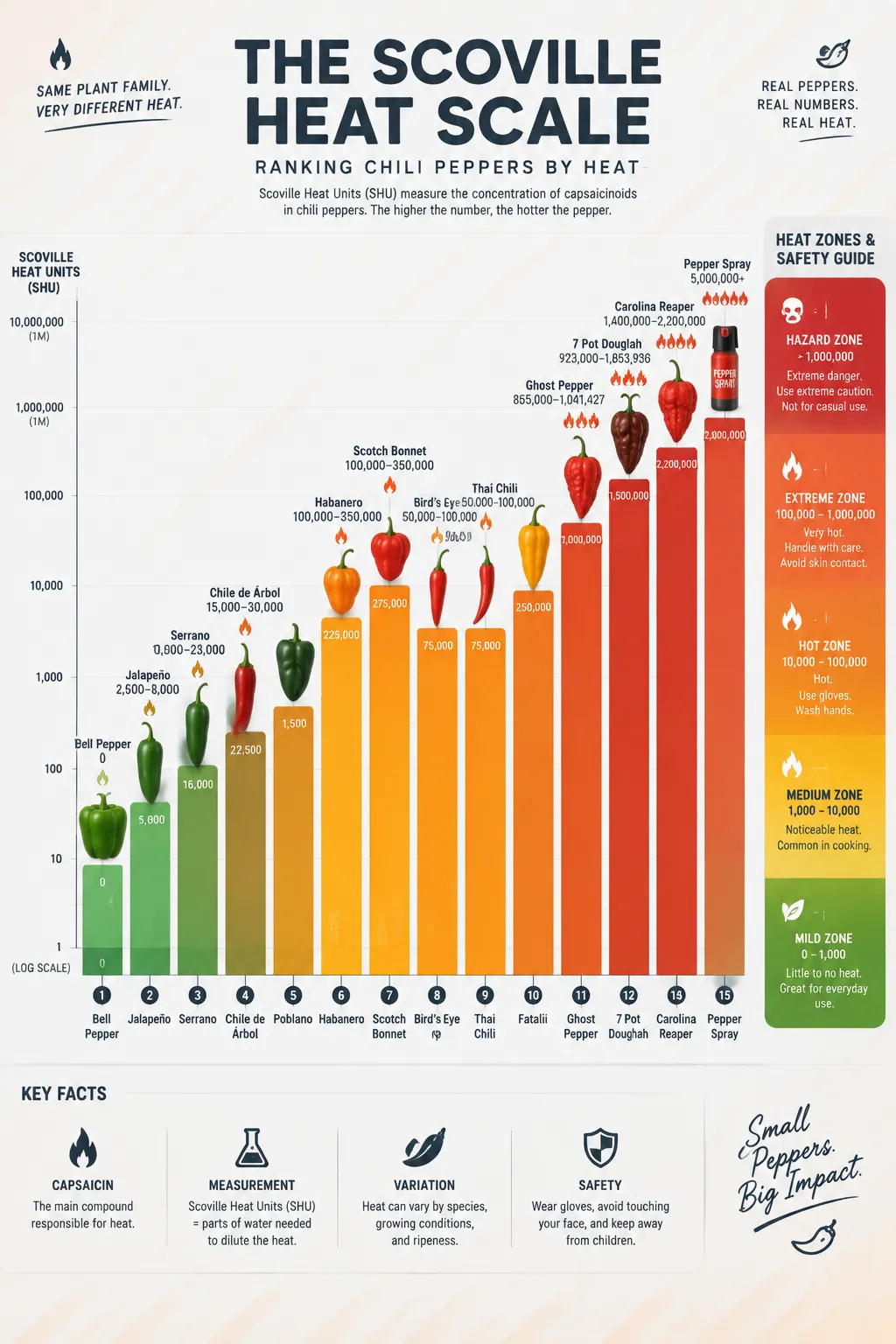
十五段の縦棒グラフがピーマンからキャロライナリーパーまでスコヴィル値を並べる。炎のアイコンは辛さに応じて膨らみ、右側に安全域のグラデーション表示。
プロンプト全文(英語)
Infographic poster ranking chili peppers on the Scoville heat scale, front-view flat presentation. Layout: a tall vertical bar chart at the center with fifteen ascending bars, each topped with a flat vector illustration of the pepper variety: bell pepper (0), jalapeño (2,500-8,000), serrano, habanero (100,000-350,000), scotch bonnet, bird's eye, ghost pepper (over 1,000,000), Carolina Reaper (over 2,200,000) and pepper spray reference at top. Each bar shows the SHU value in bold data labels, with a small flame icon whose size grows with heat level. A safety scale on the right side marks mild, hot, extreme and hazard zones with gradient bands. Color system: gradient from fresh green (#4CAF50) through yellow (#FFC107) and orange (#FF7043) to deep red (#D32F2F), on a light gray background (#FAFAFA) with dark charcoal text. Typography: bold sans-serif numbers, playful rounded labels. Background: subtle diagonal heat-wave texture. Data feel: scientific measurement chart with log-spaced scale markers. Lighting: bright even studio light, glossy highlights on peppers, crisp shadows. 4k
同じ画像を生成:
上のプロンプトをコピー → ChatGPTを開く → 貼り付けて送信(画像モデルは切り替え可) → 結果を待つ。
ChatGPTを開く ↗
詳しい手順は
チュートリアルへ。
よくある質問
この画像はどう再現するの?▾
上の英語プロンプトをコピーし、ChatGPTを開いて画像モデルに切り替え、プロンプトを貼り付けて送信します。モデルが似た結果を生成します。
どのAIツールを使えばいい?▾
推奨:ChatGPT。長い英語プロンプトを受け付ける対話型画像ツールなら、どれでも似た結果を出せます。
このプロンプトをカスタマイズできる?▾
はい。被写体、スタイル、色、構図の指定を自分のものに差し替えられます。説明文には通常、変更箇所のヒント(例:「XをYに置き換え」)があります。
実例画像は自由に使えますか?▾
実例画像は当サイトがこのプロンプトで紹介用に生成したものです。プロンプト自体は自由にコピー・利用できます。商用利用の場合は、使用するAIツールの条件をご確認ください。


