
インフォグラフィック 推奨:ChatGPT
サイエンス図表:ビールのファミリーツリー
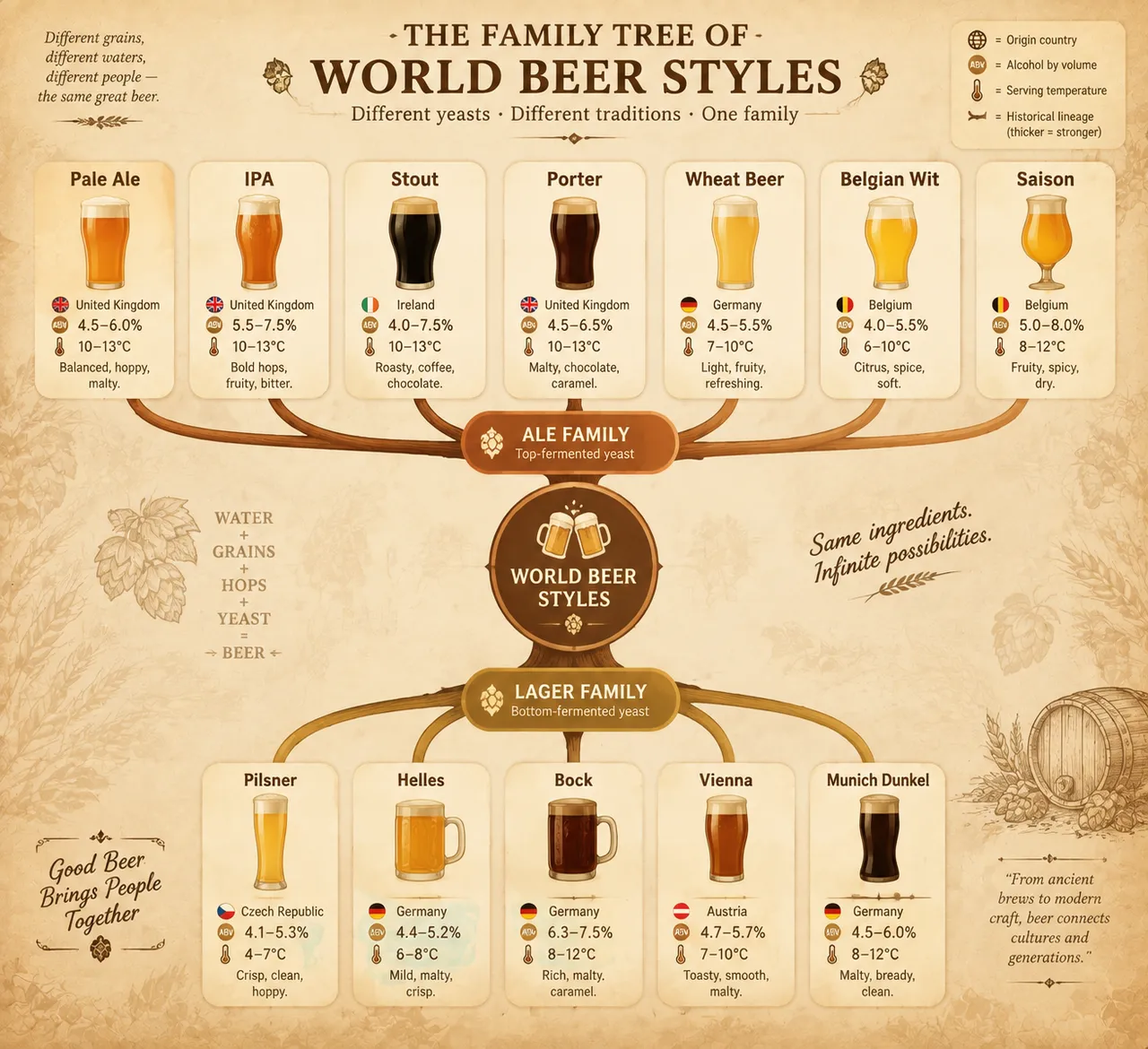
ファミリーツリーで世界のビールスタイルを図解。エールとラガーの二大幹から IPA やスタウトへ細分し、ノードにアルコール度数と適温を記す。暖かな酒場トーン。
プロンプト全文(英語)
Infographic poster presenting a family tree of the world's beer styles, front-view flat presentation. Layout: a branching tree diagram rooted at the bottom center with the ale and lager yeast families as two main trunks: the ale branch (top-fermented) splitting into pale ale, IPA, stout, porter, wheat beer, Belgian wit and saison; the lager branch (bottom-fermented) splitting into pilsner, helles, bock, Vienna and Munich dunkel. Each style node is a rounded card with a flat beer-glass icon, origin country, alcohol-by-volume percentage and typical serving temperature, with branch lines whose thickness encodes historical lineage. Color system: golden amber (#F2B441), barley gold (#D9A441), chestnut brown (#8B5E3C), deep black stout (#2B2B2B) and cream foam white (#FFF8E7) on a warm tavern background (#F5EDE0). Typography: classic serif for style names, clean sans-serif data captions. Background: subtle barley-grain texture with faint hop-cone pattern. Data feel: brewing-reference chart with lineage branches and style statistics. Lighting: warm pub-light glow from the upper right, soft shadows, inviting amber tones. 4k
同じ画像を生成:
上のプロンプトをコピー → ChatGPTを開く → 貼り付けて送信(画像モデルは切り替え可) → 結果を待つ。
ChatGPTを開く ↗
詳しい手順は
チュートリアルへ。
よくある質問
この画像はどう再現するの?▾
上の英語プロンプトをコピーし、ChatGPTを開いて画像モデルに切り替え、プロンプトを貼り付けて送信します。モデルが似た結果を生成します。
どのAIツールを使えばいい?▾
推奨:ChatGPT。長い英語プロンプトを受け付ける対話型画像ツールなら、どれでも似た結果を出せます。
このプロンプトをカスタマイズできる?▾
はい。被写体、スタイル、色、構図の指定を自分のものに差し替えられます。説明文には通常、変更箇所のヒント(例:「XをYに置き換え」)があります。
実例画像は自由に使えますか?▾
実例画像は当サイトがこのプロンプトで紹介用に生成したものです。プロンプト自体は自由にコピー・利用できます。商用利用の場合は、使用するAIツールの条件をご確認ください。


