일러스트 추천 대상: ChatGPT
그림책 일러스트: 우산 속 달팽이
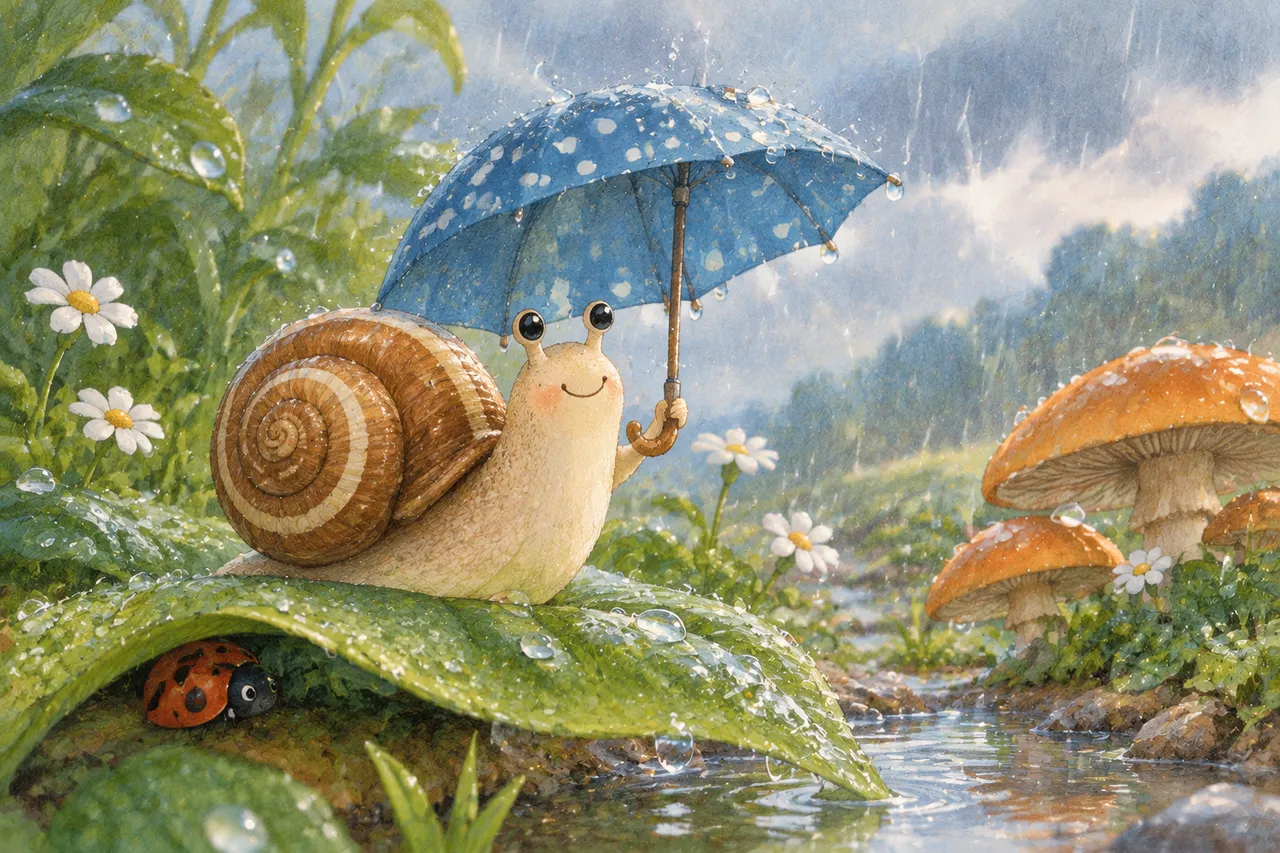
달팽이가 파란 물방울 무늬 우산을 받쳐 들고 반들반들한 잎을 기어가며, 빗방울이 우산 위에서 튀어 오르며 반짝여요. 무당벌레가 잎 가장자리에서 비를 피하고 물웅덩이에는 회청빛 하늘이 비치며 버섯과 데이지가 곁에 피어 있어요.
전체 프롬프트 (영문)
Picture-book illustration of a cheerful garden snail with a glossy brown-and-cream spiral shell, holding a small blue polka-dot umbrella above its head with one tiny tentacle, the snail with big friendly black eyes and a soft smile, crawling across a large glossy green leaf under gentle rain, raindrops bouncing off the umbrella in sparkling droplets, each drop catching a tiny gleam of light, a red ladybug sheltering under the leaf edge, small puddles on the ground reflecting the gray-blue sky, orange-capped mushrooms and tiny white daisies growing nearby, soft rounded painterly shapes with subtle pencil outlines and gentle crosshatch shading, close-up low-angle composition from the snail's level looking slightly upward, soft diffused overcast daylight from above with even gentle illumination, palette of moss green, slate blue, mushroom orange and cream, gentle cozy storybook mood, delicate hand-drawn charm, high resolution, 4k
같은 이미지 만들기:
위 프롬프트를 복사 → ChatGPT 열기 → 붙여넣고 전송(이미지 모델로 전환할 수 있어요) → 결과를 기다리면 돼요.
ChatGPT 열기 ↗
자세한 사용법은
튜토리얼을 참고하세요.
자주 묻는 질문
이 이미지는 어떻게 따라 만들 수 있나요?▾
위의 영문 프롬프트를 복사한 뒤 ChatGPT을(를) 열고 이미지 모델로 전환해 붙여넣고 전송하면, 모델이 비슷한 결과를 만들어 줘요.
어떤 AI 도구를 사용해야 하나요?▾
추천 대상: ChatGPT. 긴 영문 프롬프트를 지원하는 대화형 이미지 생성 도구라면 비슷한 결과를 얻을 수 있어요.
이 프롬프트를 내 입맛대로 바꿀 수 있나요?▾
네, 가능해요. 주제·스타일·색상·구성 단어를 원하는 주제로 바꾸면 돼요. 설명에는 보통 바꿀 수 있는 대표적인 지점(예: swap X for Y)이 안내되어 있어요.
예시 이미지를 자유롭게 사용할 수 있나요?▾
예시 이미지는 본 사이트가 이 프롬프트로 생성한 전시용 이미지예요. 프롬프트 본문은 자유롭게 복사해 사용할 수 있고, 상업적 이용 시에는 사용하는 AI 도구의 약관을 따라 주세요.