
인포그래픽 추천 대상: ChatGPT
과학 인포그래픽: 코코아 빈에서 초콜릿까지
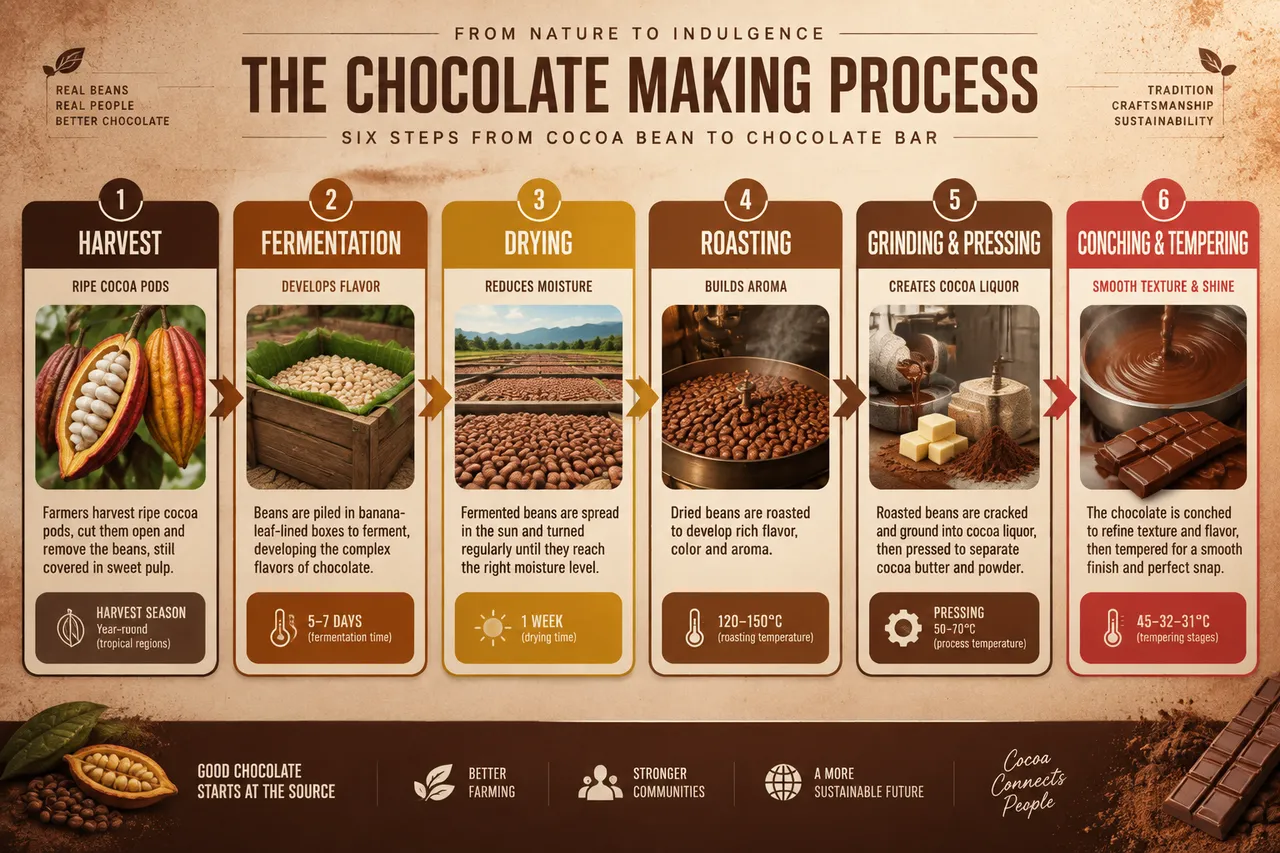
여섯 칸 순서도가 코코아 빈에서 초콜릿 바까지의 전 과정을 담아내고, 바나나 잎 발효와 120~150°C 로스팅, 분쇄 정련 등 각 단계마다 온도와 시간이 표시돼요. 짙은 갈색의 따뜻한 톤으로 마무리했어요.
전체 프롬프트 (영문)
Infographic poster documenting the chocolate production process from cocoa bean to finished bar, front-view flat presentation. Layout: a horizontal six-stage flowchart running left to right across the full width: harvest (cracked cocoa pods), fermentation (5-7 days in banana-leaf-lined boxes), drying in the sun (one week), roasting at 120-150°C, grinding into cocoa liquor and pressing into cocoa butter and powder, then conching and tempering to form the finished bar. Each stage sits in a rounded card with a flat icon, a one-line description, and a temperature or duration data badge. A thin progress arrow with gradient color connects the stages. Color system: rich chocolate browns (#4E2A17, #6F3E1F), cacao gold (#D4A017), cream (#F7F0E3) and a red accent (#C0392B) for the final bar stage. Typography: bold condensed sans-serif titles, medium descriptions, small data captions. Background: subtle cocoa-powder speckle texture with a soft warm vignette. Data feel: artisan factory guide with precision temperature and time labels. Lighting: warm diffused light from the upper right, soft shadows under cards, appetizing matte finish. 4k
같은 이미지 만들기:
위 프롬프트를 복사 → ChatGPT 열기 → 붙여넣고 전송(이미지 모델로 전환할 수 있어요) → 결과를 기다리면 돼요.
ChatGPT 열기 ↗
자세한 사용법은
튜토리얼을 참고하세요.
자주 묻는 질문
이 이미지는 어떻게 따라 만들 수 있나요?▾
위의 영문 프롬프트를 복사한 뒤 ChatGPT을(를) 열고 이미지 모델로 전환해 붙여넣고 전송하면, 모델이 비슷한 결과를 만들어 줘요.
어떤 AI 도구를 사용해야 하나요?▾
추천 대상: ChatGPT. 긴 영문 프롬프트를 지원하는 대화형 이미지 생성 도구라면 비슷한 결과를 얻을 수 있어요.
이 프롬프트를 내 입맛대로 바꿀 수 있나요?▾
네, 가능해요. 주제·스타일·색상·구성 단어를 원하는 주제로 바꾸면 돼요. 설명에는 보통 바꿀 수 있는 대표적인 지점(예: swap X for Y)이 안내되어 있어요.
예시 이미지를 자유롭게 사용할 수 있나요?▾
예시 이미지는 본 사이트가 이 프롬프트로 생성한 전시용 이미지예요. 프롬프트 본문은 자유롭게 복사해 사용할 수 있고, 상업적 이용 시에는 사용하는 AI 도구의 약관을 따라 주세요.


