포스터 추천 대상: ChatGPT
빈티지 포스터: 서커스 카니발
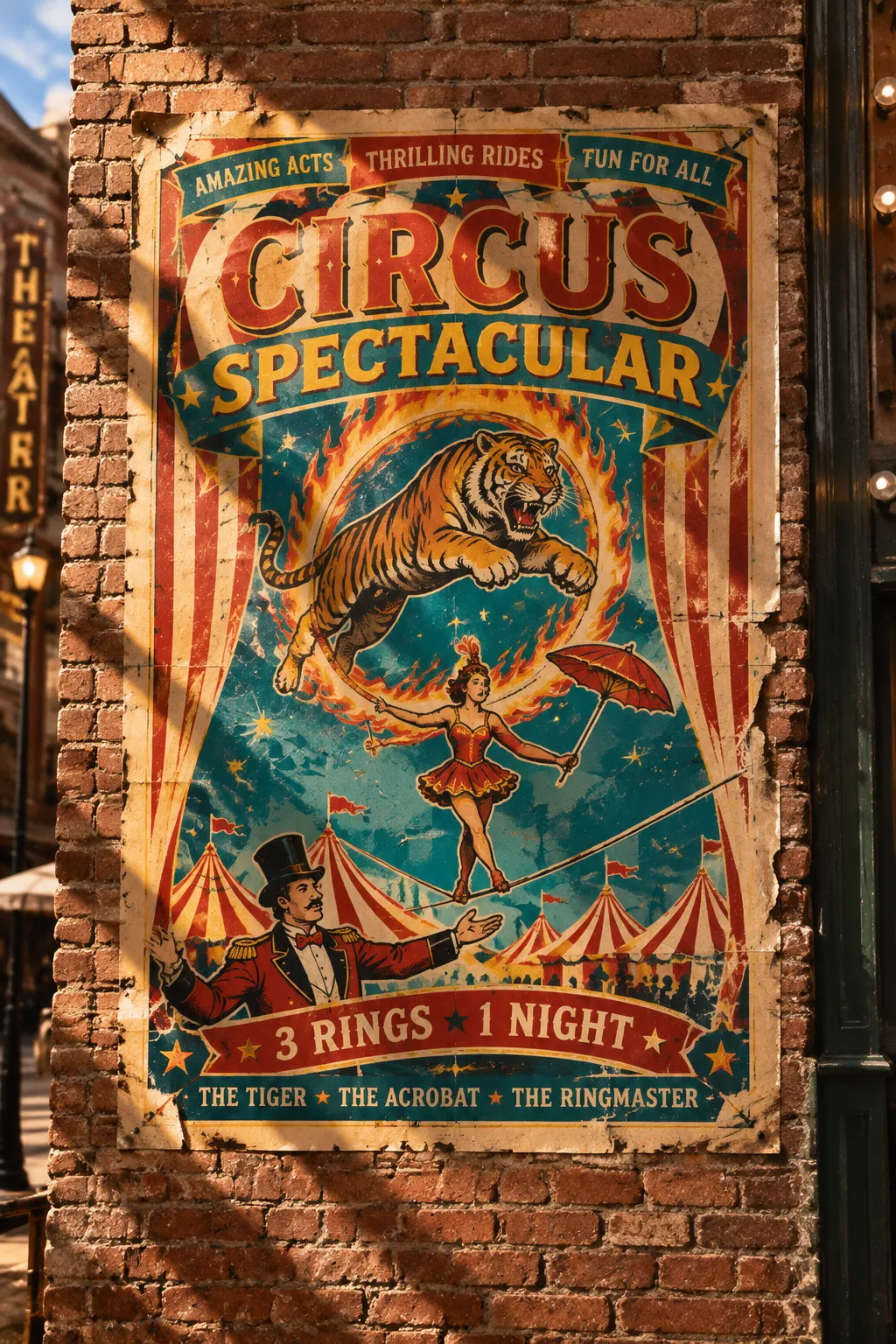
호랑이가 불타는 후프를 뛰어넘고, 줄타기 곡예사는 파라솔을 들고 균형을 잡아요. 실록 모자를 쓴 단장이 두 팔을 벌려 손님을 맞이하며, 빨강과 노랑의 강한 색 대비에 인쇄 어긋남이 더해진 포스터가 낡은 극장의 얼룩진 벽돌 벽에 붙어 있어요.
전체 프롬프트 (영문)
A vintage circus carnival poster in a loud stacked layout, central composition of a leaping tiger through a flaming hoop above a tightrope walker balancing with a parasol, a ringmaster in a top hat gesturing at the bottom, bold stripes and stars filling every corner, three banners with pennant flags along the top. Condensed slab-serif headline in alternating red and yellow reads 'CIRCUS SPECTACULAR', with curved banner text '3 RINGS 1 NIGHT' and small performer credits at the bottom. Palette of tomato red, mustard yellow, teal and cream. Printed on aged matte paper with visible print registration marks and slight ink misregistration, classic 1950s silkscreen style. The poster is pasted on a weathered brick wall of an old theater, torn edges and small nail holes. Warm afternoon sunlight from the upper left, dusty golden quality, strong raking light, crisp shadow. Wide shot, slightly low angle, straight-on view, vivid color and paper detail, 4k
같은 이미지 만들기:
위 프롬프트를 복사 → ChatGPT 열기 → 붙여넣고 전송(이미지 모델로 전환할 수 있어요) → 결과를 기다리면 돼요.
ChatGPT 열기 ↗
자세한 사용법은
튜토리얼을 참고하세요.
자주 묻는 질문
이 이미지는 어떻게 따라 만들 수 있나요?▾
위의 영문 프롬프트를 복사한 뒤 ChatGPT을(를) 열고 이미지 모델로 전환해 붙여넣고 전송하면, 모델이 비슷한 결과를 만들어 줘요.
어떤 AI 도구를 사용해야 하나요?▾
추천 대상: ChatGPT. 긴 영문 프롬프트를 지원하는 대화형 이미지 생성 도구라면 비슷한 결과를 얻을 수 있어요.
이 프롬프트를 내 입맛대로 바꿀 수 있나요?▾
네, 가능해요. 주제·스타일·색상·구성 단어를 원하는 주제로 바꾸면 돼요. 설명에는 보통 바꿀 수 있는 대표적인 지점(예: swap X for Y)이 안내되어 있어요.
예시 이미지를 자유롭게 사용할 수 있나요?▾
예시 이미지는 본 사이트가 이 프롬프트로 생성한 전시용 이미지예요. 프롬프트 본문은 자유롭게 복사해 사용할 수 있고, 상업적 이용 시에는 사용하는 AI 도구의 약관을 따라 주세요.