포스터 추천 대상: ChatGPT
테크 전시: 로봇 박람회
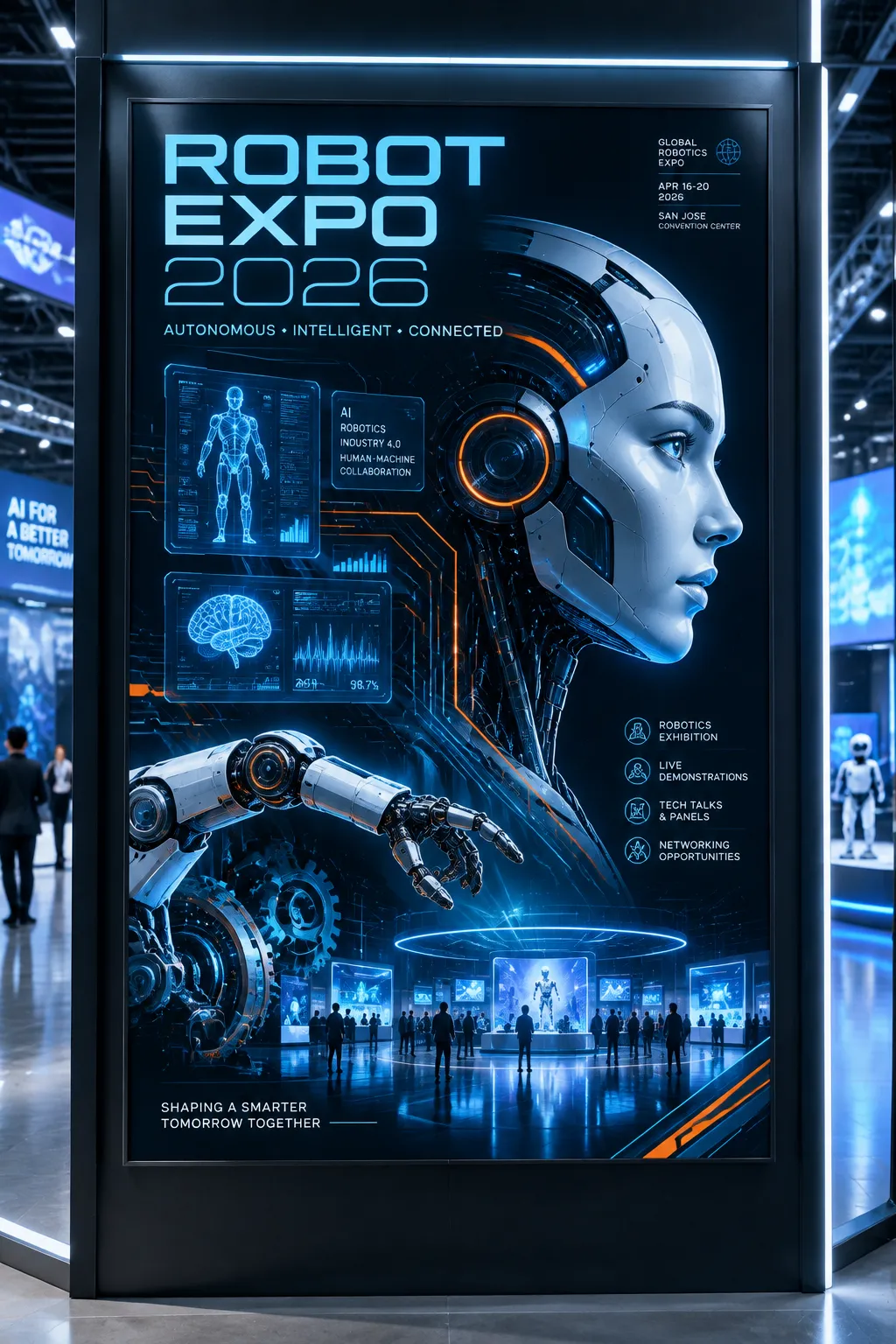
휴머노이드 로봇의 금속 옆얼굴이 화면 오른쪽 삼분의 일 구도를 차지하고, 청록빛 회로선이 짙은 파란 배경을 따라 뻗어 나가요. 홀로그램 패널과 로봇 팔이 주위를 감싸며, 차가운 빛이 미래적인 기술 무드를 완성해요.
전체 프롬프트 (영문)
A futuristic robotics expo poster in a sleek asymmetric grid layout, a humanoid robot's metallic face in profile at the right third, glowing circuit-board lines tracing across a dark blue background, holographic floating UI panels, gears and a mechanical arm reaching from the bottom left, small human figures for scale at the base. Thin futuristic sans-serif headline in cool cyan reads 'ROBOT EXPO 2026', with a monospace sub-line 'AUTONOMOUS • INTELLIGENT • CONNECTED' and small event badges in the corner. Palette of deep navy, electric cyan, metallic silver and neon orange accent. Printed on glossy coated paper with a subtle metallic sheen and spot-gloss circuit lines. The poster is mounted on a black panel inside a tech exhibition hall, LED strips and screens glowing around it. Cool blue-white light from the upper right, artificial exhibition quality, crisp highlights, faint reflection on the glass. Wide shot, straight-on view, fine mechanical detail, 4k
같은 이미지 만들기:
위 프롬프트를 복사 → ChatGPT 열기 → 붙여넣고 전송(이미지 모델로 전환할 수 있어요) → 결과를 기다리면 돼요.
ChatGPT 열기 ↗
자세한 사용법은
튜토리얼을 참고하세요.
자주 묻는 질문
이 이미지는 어떻게 따라 만들 수 있나요?▾
위의 영문 프롬프트를 복사한 뒤 ChatGPT을(를) 열고 이미지 모델로 전환해 붙여넣고 전송하면, 모델이 비슷한 결과를 만들어 줘요.
어떤 AI 도구를 사용해야 하나요?▾
추천 대상: ChatGPT. 긴 영문 프롬프트를 지원하는 대화형 이미지 생성 도구라면 비슷한 결과를 얻을 수 있어요.
이 프롬프트를 내 입맛대로 바꿀 수 있나요?▾
네, 가능해요. 주제·스타일·색상·구성 단어를 원하는 주제로 바꾸면 돼요. 설명에는 보통 바꿀 수 있는 대표적인 지점(예: swap X for Y)이 안내되어 있어요.
예시 이미지를 자유롭게 사용할 수 있나요?▾
예시 이미지는 본 사이트가 이 프롬프트로 생성한 전시용 이미지예요. 프롬프트 본문은 자유롭게 복사해 사용할 수 있고, 상업적 이용 시에는 사용하는 AI 도구의 약관을 따라 주세요.