탈것 추천 대상: ChatGPT
교통수단 사진: 노을 속 상승하는 여객기
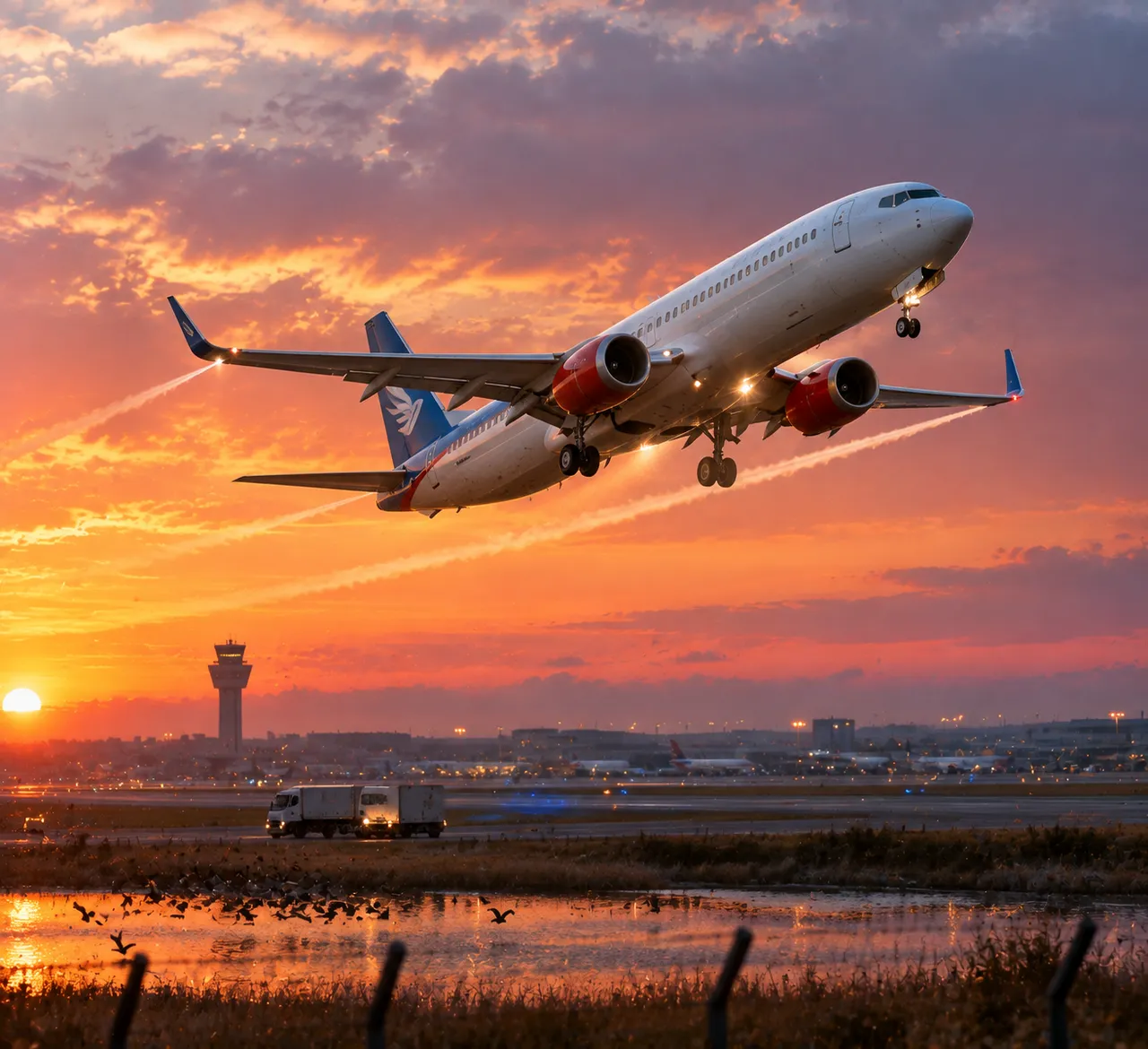
파란 꼬리에 흰 기체의 여객기가 오렌지빛과 보라빛 노을 속으로 가파르게 상승해요. 날개 끝이 긴 비행운을 그리며, 금빛 측면광이 차가운 푸른 그늘과 어우러져요.
전체 프롬프트 (영문)
Photorealistic side view of a modern twin-engine commercial airliner climbing steeply away from a runway at sunset, glossy white fuselage with a blue tail livery and red engine accents, flaps and landing gear still extended, long contrails streaming from the wingtips, warm orange and magenta sky with scattered clouds below, the airport control tower and distant runway lights fading into soft haze, dynamic takeoff pose with the nose pitched up, warm golden key light from the left illuminating the belly, cool blue shadow on the underside, landing lights glowing bright, a cargo truck crossing the apron in the blurred foreground, birds scattering from a nearby pond, fence posts in the foreground, dominant white, blue, orange and magenta palette, telephoto shot from a field at runway level, photorealistic fuselage reflections and engine heat shimmer, cinematic aviation photography, 4k
같은 이미지 만들기:
위 프롬프트를 복사 → ChatGPT 열기 → 붙여넣고 전송(이미지 모델로 전환할 수 있어요) → 결과를 기다리면 돼요.
ChatGPT 열기 ↗
자세한 사용법은
튜토리얼을 참고하세요.
자주 묻는 질문
이 이미지는 어떻게 따라 만들 수 있나요?▾
위의 영문 프롬프트를 복사한 뒤 ChatGPT을(를) 열고 이미지 모델로 전환해 붙여넣고 전송하면, 모델이 비슷한 결과를 만들어 줘요.
어떤 AI 도구를 사용해야 하나요?▾
추천 대상: ChatGPT. 긴 영문 프롬프트를 지원하는 대화형 이미지 생성 도구라면 비슷한 결과를 얻을 수 있어요.
이 프롬프트를 내 입맛대로 바꿀 수 있나요?▾
네, 가능해요. 주제·스타일·색상·구성 단어를 원하는 주제로 바꾸면 돼요. 설명에는 보통 바꿀 수 있는 대표적인 지점(예: swap X for Y)이 안내되어 있어요.
예시 이미지를 자유롭게 사용할 수 있나요?▾
예시 이미지는 본 사이트가 이 프롬프트로 생성한 전시용 이미지예요. 프롬프트 본문은 자유롭게 복사해 사용할 수 있고, 상업적 이용 시에는 사용하는 AI 도구의 약관을 따라 주세요.