
인포그래픽 추천 대상: Nano Banana
인포그래픽: 백혈구와 항체의 면역 방어
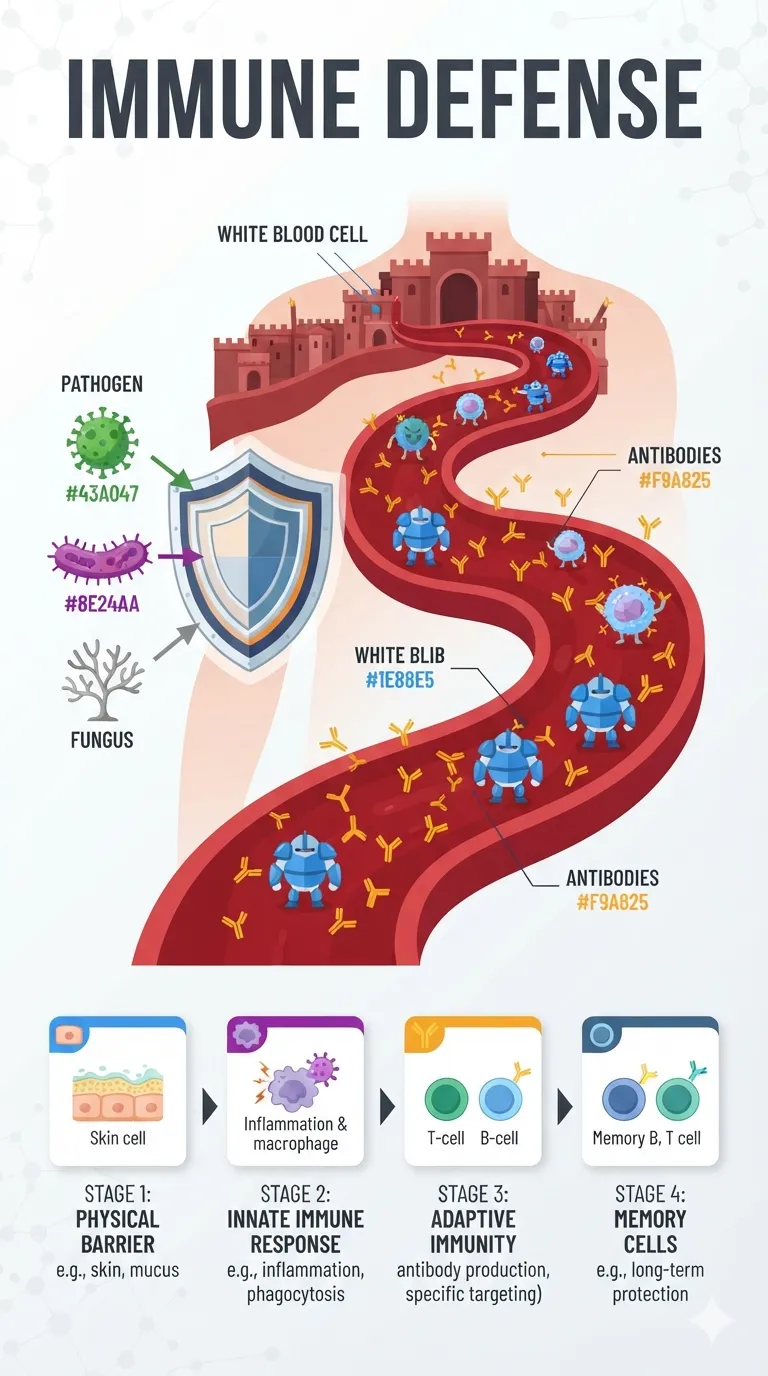
피빛 혈관이 요새로 바뀐 모습에서 파란 파수꾼 백혈구와 노란 Y자 항체가 선봉에 서 있어요. 초록 바이러스, 보라 세균, 잿빛 곰팡이가 왼쪽에서 침입하고, 아래쪽엔 네 단계 과정 카드가 이어져요.
전체 프롬프트 (영문)
Scientific infographic poster 'IMMUNE DEFENSE' presenting a cross-section of the human body as a stylized fortress scene in flat vector style: a deep-red bloodstream highway with white blood cells drawn as rounded guards in blue, antibodies as small Y-shaped yellow soldiers, and three pathogen intruders—green virus, purple bacterium and gray fungus—entering from the left, blocked by a layered shield diagram. A bottom horizontal flowchart shows four defense stages: physical barrier, innate immune response, adaptive immunity, and memory cells, each in a colored card with a small icon. Color palette: blood red #D32F2F, white-cell blue #1E88E5, antibody gold #F9A825, pathogen green #43A047, purple #8E24AA, on a clean white background with subtle molecular dot texture. Bold sans-serif labels, soft directional studio light, clear data hierarchy, medical poster finish, 4k
같은 이미지 만들기:
위 프롬프트를 복사 → Nano Banana 열기 → 붙여넣고 전송(이미지 모델로 전환할 수 있어요) → 결과를 기다리면 돼요.
Nano Banana 열기 ↗
자세한 사용법은
튜토리얼을 참고하세요.
자주 묻는 질문
이 이미지는 어떻게 따라 만들 수 있나요?▾
위의 영문 프롬프트를 복사한 뒤 Nano Banana을(를) 열고 이미지 모델로 전환해 붙여넣고 전송하면, 모델이 비슷한 결과를 만들어 줘요.
어떤 AI 도구를 사용해야 하나요?▾
추천 대상: Nano Banana. 긴 영문 프롬프트를 지원하는 대화형 이미지 생성 도구라면 비슷한 결과를 얻을 수 있어요.
이 프롬프트를 내 입맛대로 바꿀 수 있나요?▾
네, 가능해요. 주제·스타일·색상·구성 단어를 원하는 주제로 바꾸면 돼요. 설명에는 보통 바꿀 수 있는 대표적인 지점(예: swap X for Y)이 안내되어 있어요.
예시 이미지를 자유롭게 사용할 수 있나요?▾
예시 이미지는 본 사이트가 이 프롬프트로 생성한 전시용 이미지예요. 프롬프트 본문은 자유롭게 복사해 사용할 수 있고, 상업적 이용 시에는 사용하는 AI 도구의 약관을 따라 주세요.


