
인포그래픽 추천 대상: Nano Banana
인포그래픽: 마그마 방에서 화산체까지의 내부 구조
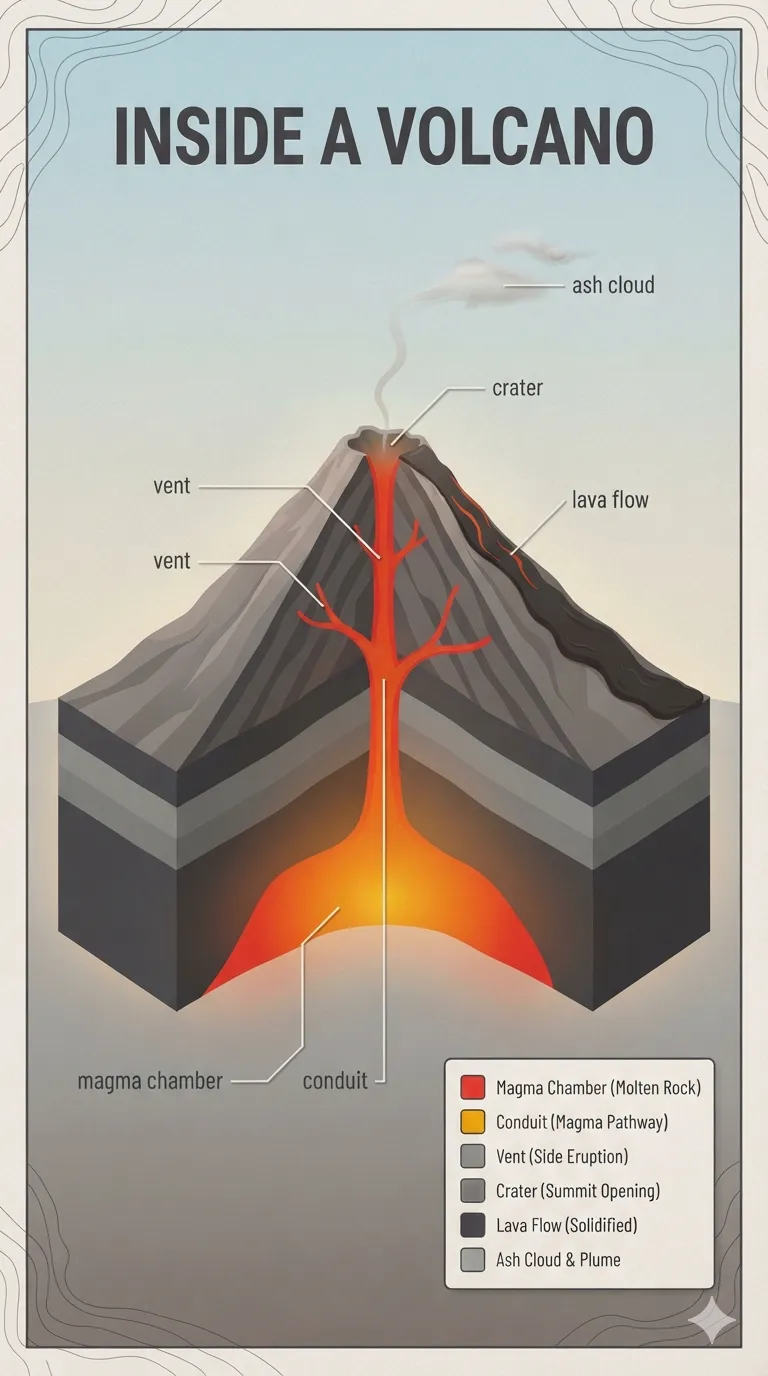
성층화산의 단면에 지하 주홍빛 용융 마그마 방과 중앙 통로, 측면 분기공, 정상 분화구의 잿빛 분출물이 그려져 있어요. 흰색 인지선이 마그마 방, 통로, 분화구 등을 차근차근 짚어 줘요.
전체 프롬프트 (영문)
Educational infographic poster 'INSIDE A VOLCANO' presenting a realistic cutaway cross-section of a stratovolcano, a glowing molten magma chamber deep underground in orange-red, a central conduit rising through the cone, branching side vents, a summit crater and a thin pale-gray fumarole plume. Flat modern vector style with subtle embossed texture; white leader lines connect small dark-gray sans-serif labels: magma chamber, conduit, vent, crater, lava flow, ash cloud. Color palette: lava orange #FF6D00, amber #FFB300, charcoal rock #3E3E40, stone gray #9E9E9E, pale-blue-to-hazy-beige sky gradient, warning-red #E53935 hot-zone accents. Layout framed by a thin topographic contour border, legend box in the lower-right corner, soft paper-grain background, gentle warm glow emitted from the magma chamber, clean three-level data hierarchy, matte print finish, 4k
같은 이미지 만들기:
위 프롬프트를 복사 → Nano Banana 열기 → 붙여넣고 전송(이미지 모델로 전환할 수 있어요) → 결과를 기다리면 돼요.
Nano Banana 열기 ↗
자세한 사용법은
튜토리얼을 참고하세요.
자주 묻는 질문
이 이미지는 어떻게 따라 만들 수 있나요?▾
위의 영문 프롬프트를 복사한 뒤 Nano Banana을(를) 열고 이미지 모델로 전환해 붙여넣고 전송하면, 모델이 비슷한 결과를 만들어 줘요.
어떤 AI 도구를 사용해야 하나요?▾
추천 대상: Nano Banana. 긴 영문 프롬프트를 지원하는 대화형 이미지 생성 도구라면 비슷한 결과를 얻을 수 있어요.
이 프롬프트를 내 입맛대로 바꿀 수 있나요?▾
네, 가능해요. 주제·스타일·색상·구성 단어를 원하는 주제로 바꾸면 돼요. 설명에는 보통 바꿀 수 있는 대표적인 지점(예: swap X for Y)이 안내되어 있어요.
예시 이미지를 자유롭게 사용할 수 있나요?▾
예시 이미지는 본 사이트가 이 프롬프트로 생성한 전시용 이미지예요. 프롬프트 본문은 자유롭게 복사해 사용할 수 있고, 상업적 이용 시에는 사용하는 AI 도구의 약관을 따라 주세요.


