
인포그래픽 추천 대상: ChatGPT
과학 인포그래픽: 맥주 스타일 계보
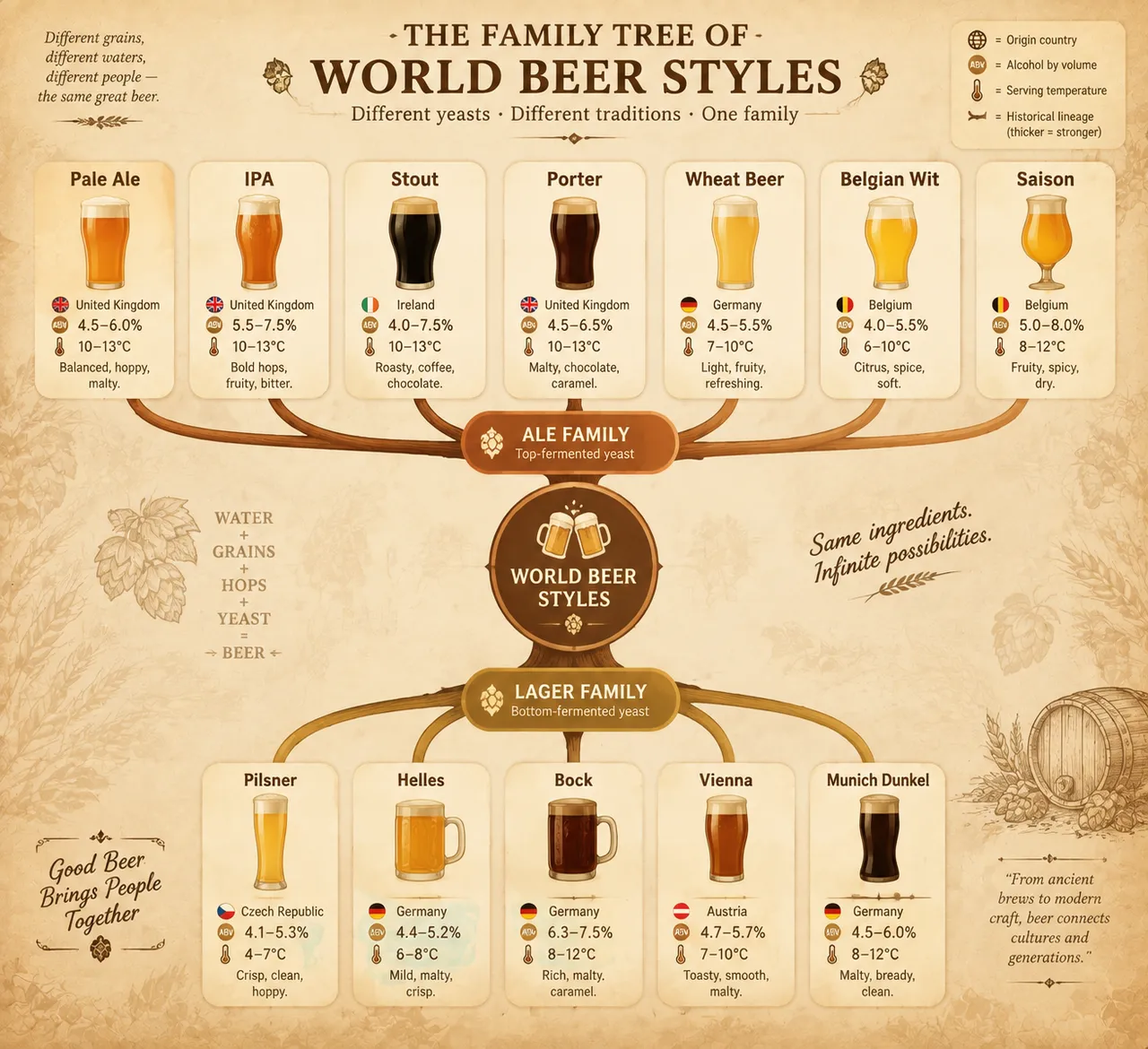
계보 나무로 세계 맥주 스타일을 그려내 에일과 라거 두 큰 줄기에서 IPA와 스타우트 등으로 갈라져요. 각 가지마다 알코올 도수와 적정 음용 온도가 표시되고, 따뜻한 선술집 색감이 감돌아요.
전체 프롬프트 (영문)
Infographic poster presenting a family tree of the world's beer styles, front-view flat presentation. Layout: a branching tree diagram rooted at the bottom center with the ale and lager yeast families as two main trunks: the ale branch (top-fermented) splitting into pale ale, IPA, stout, porter, wheat beer, Belgian wit and saison; the lager branch (bottom-fermented) splitting into pilsner, helles, bock, Vienna and Munich dunkel. Each style node is a rounded card with a flat beer-glass icon, origin country, alcohol-by-volume percentage and typical serving temperature, with branch lines whose thickness encodes historical lineage. Color system: golden amber (#F2B441), barley gold (#D9A441), chestnut brown (#8B5E3C), deep black stout (#2B2B2B) and cream foam white (#FFF8E7) on a warm tavern background (#F5EDE0). Typography: classic serif for style names, clean sans-serif data captions. Background: subtle barley-grain texture with faint hop-cone pattern. Data feel: brewing-reference chart with lineage branches and style statistics. Lighting: warm pub-light glow from the upper right, soft shadows, inviting amber tones. 4k
같은 이미지 만들기:
위 프롬프트를 복사 → ChatGPT 열기 → 붙여넣고 전송(이미지 모델로 전환할 수 있어요) → 결과를 기다리면 돼요.
ChatGPT 열기 ↗
자세한 사용법은
튜토리얼을 참고하세요.
자주 묻는 질문
이 이미지는 어떻게 따라 만들 수 있나요?▾
위의 영문 프롬프트를 복사한 뒤 ChatGPT을(를) 열고 이미지 모델로 전환해 붙여넣고 전송하면, 모델이 비슷한 결과를 만들어 줘요.
어떤 AI 도구를 사용해야 하나요?▾
추천 대상: ChatGPT. 긴 영문 프롬프트를 지원하는 대화형 이미지 생성 도구라면 비슷한 결과를 얻을 수 있어요.
이 프롬프트를 내 입맛대로 바꿀 수 있나요?▾
네, 가능해요. 주제·스타일·색상·구성 단어를 원하는 주제로 바꾸면 돼요. 설명에는 보통 바꿀 수 있는 대표적인 지점(예: swap X for Y)이 안내되어 있어요.
예시 이미지를 자유롭게 사용할 수 있나요?▾
예시 이미지는 본 사이트가 이 프롬프트로 생성한 전시용 이미지예요. 프롬프트 본문은 자유롭게 복사해 사용할 수 있고, 상업적 이용 시에는 사용하는 AI 도구의 약관을 따라 주세요.


