
인포그래픽 추천 대상: ChatGPT
과학 인포그래픽: 뇌 기능 지도
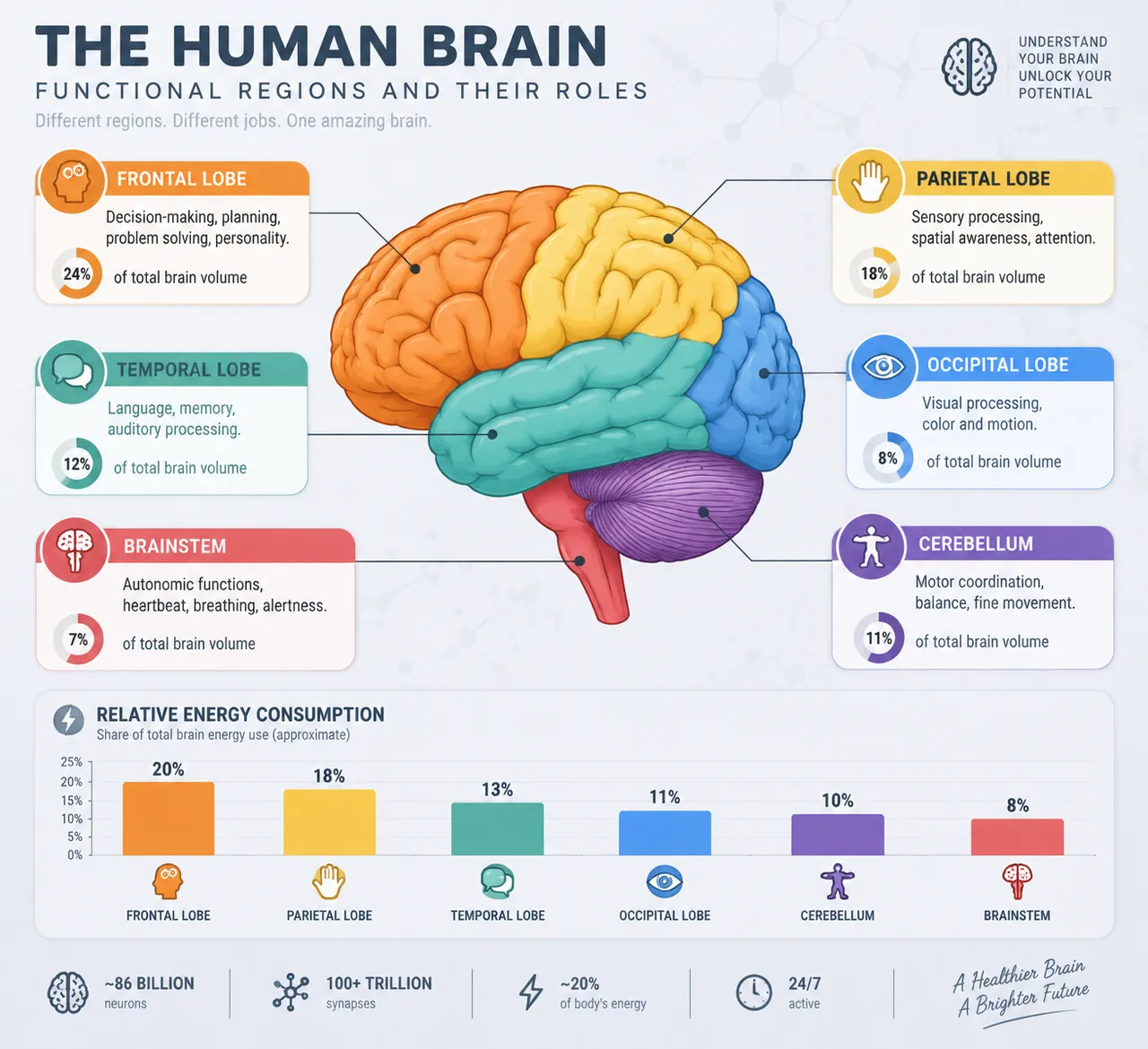
측면 뇌 벡터 그림이 여섯 기능 구역별로 색이 나뉘고, 전두엽의 의사결정과 후두엽의 시각 같은 영역이 안내선과 부피 비율 배지로 짚어져요. 연한 신경 격자 질감의 바탕 위에 깔끔하고 정연하게 정리됐어요.
전체 프롬프트 (영문)
Scientific infographic poster mapping the functional regions of the human brain, front-view flat presentation. Layout: a large left-profile illustration of the human brain rendered in flat vector style, divided into color-coded functional zones with leader lines and labels: frontal lobe (decision-making, orange), parietal lobe (sensory, yellow), temporal lobe (language and memory, teal), occipital lobe (vision, blue), cerebellum (motor coordination, purple) and brainstem (autonomic functions, red). Each label card includes a one-line function description, a small flat icon, and a percentage data badge of brain volume share. A bottom bar chart compares relative energy consumption of each region. Color system: soft pastel region colors with stronger saturated versions for emphasis, on a cool pale gray background (#EEF2F7) with dark slate text (#263238). Typography: clean clinical sans-serif, bold region names, thin annotation lines in light gray. Background: subtle neural-network line texture with faint synaptic dots. Data feel: neurology atlas plate with precise leader lines. Lighting: soft neutral studio light, subtle inner shading on the brain, no harsh shadows. 4k
같은 이미지 만들기:
위 프롬프트를 복사 → ChatGPT 열기 → 붙여넣고 전송(이미지 모델로 전환할 수 있어요) → 결과를 기다리면 돼요.
ChatGPT 열기 ↗
자세한 사용법은
튜토리얼을 참고하세요.
자주 묻는 질문
이 이미지는 어떻게 따라 만들 수 있나요?▾
위의 영문 프롬프트를 복사한 뒤 ChatGPT을(를) 열고 이미지 모델로 전환해 붙여넣고 전송하면, 모델이 비슷한 결과를 만들어 줘요.
어떤 AI 도구를 사용해야 하나요?▾
추천 대상: ChatGPT. 긴 영문 프롬프트를 지원하는 대화형 이미지 생성 도구라면 비슷한 결과를 얻을 수 있어요.
이 프롬프트를 내 입맛대로 바꿀 수 있나요?▾
네, 가능해요. 주제·스타일·색상·구성 단어를 원하는 주제로 바꾸면 돼요. 설명에는 보통 바꿀 수 있는 대표적인 지점(예: swap X for Y)이 안내되어 있어요.
예시 이미지를 자유롭게 사용할 수 있나요?▾
예시 이미지는 본 사이트가 이 프롬프트로 생성한 전시용 이미지예요. 프롬프트 본문은 자유롭게 복사해 사용할 수 있고, 상업적 이용 시에는 사용하는 AI 도구의 약관을 따라 주세요.


