
인포그래픽 추천 대상: ChatGPT
과학 인포그래픽: 공룡 시대 타임라인
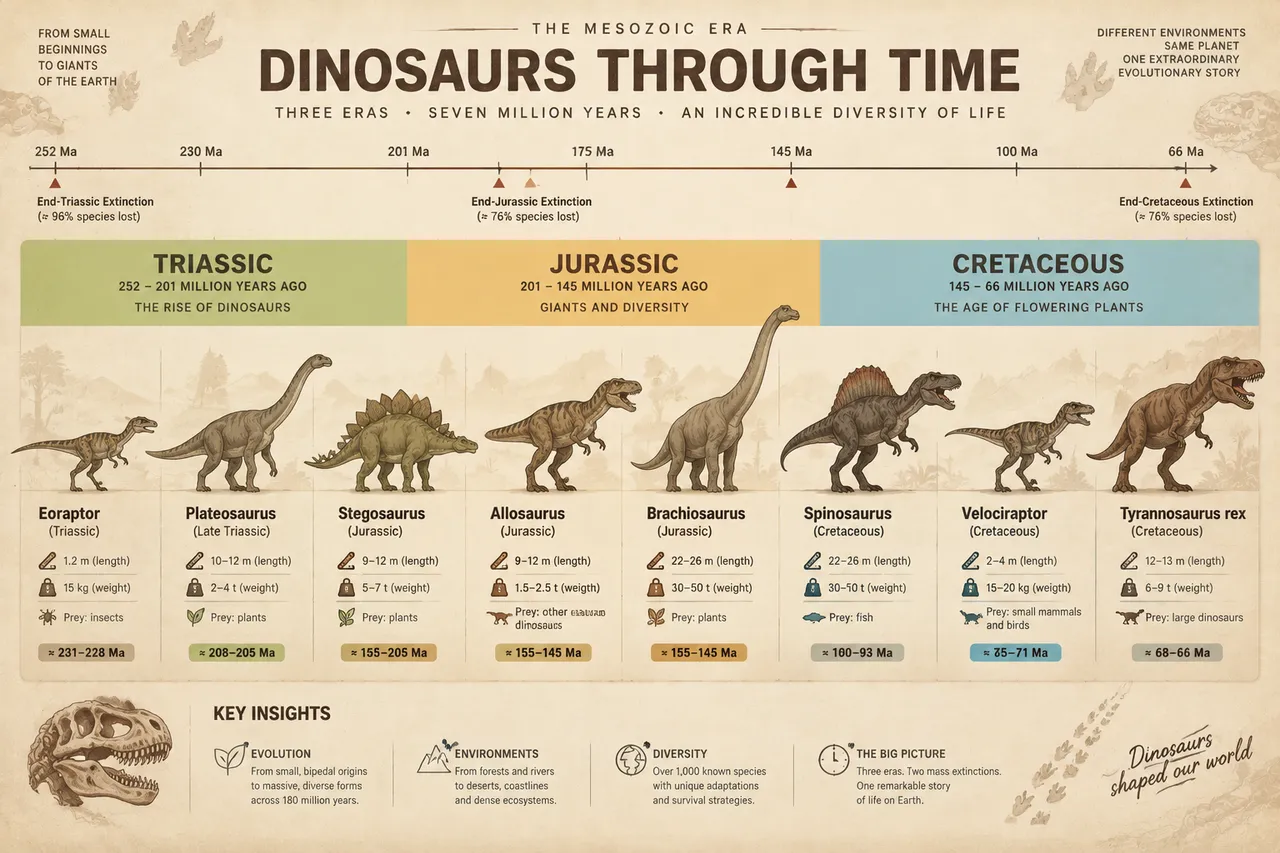
세 가지 색의 시대 띠가 트라이아스기부터 백악기까지 진화 타임라인을 펼치고, 여덟 공룡 실루엣이 등장 연대 순으로 늘어서 체장과 무게가 표시돼요. 박물관 화석 같은 질감이 느껴져요.
전체 프롬프트 (영문)
Educational infographic poster of dinosaur evolution across the Mesozoic Era, front-view flat presentation. Layout: a horizontal geological timeline spanning the full poster width, divided into three colored eras: Triassic (252-201 million years ago) in sage green, Jurassic (201-145 Ma) in warm sand, and Cretaceous (145-66 Ma) in dusty blue, with a thin date ruler on top and small extinction-event markers. Along the timeline, flat vector silhouettes of representative dinosaurs are positioned by their time of appearance: Eoraptor, Plateosaurus, Stegosaurus, Allosaurus, Brachiosaurus, Spinosaurus, Velociraptor and Tyrannosaurus rex, each with a name label, size in meters, weight in tonnes and a small prey icon. Color system: earthy fossil tones (#8D6E63, #A1887F), era band colors above, charcoal text (#3E2723) on a pale fossil-cream background (#F4EDE3). Typography: bold display title, clean sans-serif species labels, thin era captions. Background: subtle sedimentary-rock strata texture with faint bone-fossil pattern. Data feel: natural-history museum panel with precise epoch boundaries. Lighting: soft museum spotlights from above, gentle shadows, matte finish. 4k
같은 이미지 만들기:
위 프롬프트를 복사 → ChatGPT 열기 → 붙여넣고 전송(이미지 모델로 전환할 수 있어요) → 결과를 기다리면 돼요.
ChatGPT 열기 ↗
자세한 사용법은
튜토리얼을 참고하세요.
자주 묻는 질문
이 이미지는 어떻게 따라 만들 수 있나요?▾
위의 영문 프롬프트를 복사한 뒤 ChatGPT을(를) 열고 이미지 모델로 전환해 붙여넣고 전송하면, 모델이 비슷한 결과를 만들어 줘요.
어떤 AI 도구를 사용해야 하나요?▾
추천 대상: ChatGPT. 긴 영문 프롬프트를 지원하는 대화형 이미지 생성 도구라면 비슷한 결과를 얻을 수 있어요.
이 프롬프트를 내 입맛대로 바꿀 수 있나요?▾
네, 가능해요. 주제·스타일·색상·구성 단어를 원하는 주제로 바꾸면 돼요. 설명에는 보통 바꿀 수 있는 대표적인 지점(예: swap X for Y)이 안내되어 있어요.
예시 이미지를 자유롭게 사용할 수 있나요?▾
예시 이미지는 본 사이트가 이 프롬프트로 생성한 전시용 이미지예요. 프롬프트 본문은 자유롭게 복사해 사용할 수 있고, 상업적 이용 시에는 사용하는 AI 도구의 약관을 따라 주세요.


