
인포그래픽 추천 대상: ChatGPT
과학 인포그래픽: 꿀의 탄생
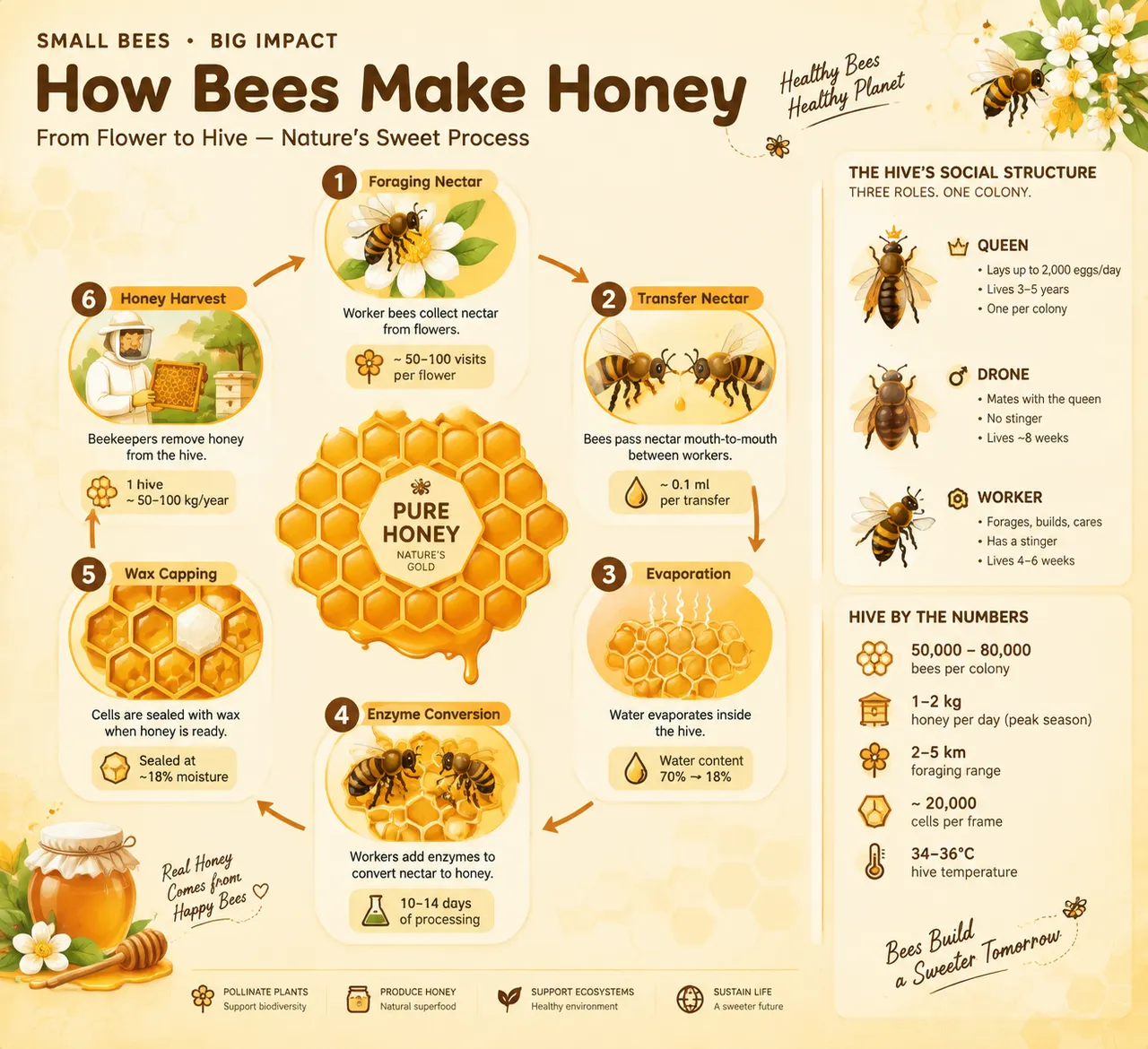
육각형 벌집 격자가 여섯 단계의 원형 순서도를 감싸며 꿀 채집부터 밀랍 봉인과 수확까지 이어져요. 수분 함량이 70%에서 18%로 줄어드는 점이 표시되고, 옆 카드에는 여왕벌과 일벌의 역할 분담이 설명돼요.
전체 프롬프트 (영문)
Infographic poster illustrating how bees make honey and the social structure of the hive, front-view flat presentation. Layout: a six-step circular flowchart at the center arranged around a large honeycomb hexagon grid: foraging nectar from flowers, nectar transfer mouth-to-mouth between worker bees, evaporation of water inside the hive, enzyme conversion by worker bees, wax-capping of full cells, and honey harvest by the beekeeper. Each step has a flat vector icon and a one-line description with a small data badge (visits per flower, water content dropping from 70% to 18%). Three smaller side cards show the roles of the queen, drone and worker bees with tiny icons. Color system: honey amber (#F0A500), golden yellow (#FFD166), deep brown (#6B4226), cream white (#FFF8E1) and black accents for bee stripes. Typography: rounded warm sans-serif, bold step numbers, small data captions. Background: subtle honeycomb hexagon texture in very light yellow. Data feel: beekeeping guide with hive statistics. Lighting: warm golden light from the upper left, soft gloss on honey drops, gentle shadows. 4k
같은 이미지 만들기:
위 프롬프트를 복사 → ChatGPT 열기 → 붙여넣고 전송(이미지 모델로 전환할 수 있어요) → 결과를 기다리면 돼요.
ChatGPT 열기 ↗
자세한 사용법은
튜토리얼을 참고하세요.
자주 묻는 질문
이 이미지는 어떻게 따라 만들 수 있나요?▾
위의 영문 프롬프트를 복사한 뒤 ChatGPT을(를) 열고 이미지 모델로 전환해 붙여넣고 전송하면, 모델이 비슷한 결과를 만들어 줘요.
어떤 AI 도구를 사용해야 하나요?▾
추천 대상: ChatGPT. 긴 영문 프롬프트를 지원하는 대화형 이미지 생성 도구라면 비슷한 결과를 얻을 수 있어요.
이 프롬프트를 내 입맛대로 바꿀 수 있나요?▾
네, 가능해요. 주제·스타일·색상·구성 단어를 원하는 주제로 바꾸면 돼요. 설명에는 보통 바꿀 수 있는 대표적인 지점(예: swap X for Y)이 안내되어 있어요.
예시 이미지를 자유롭게 사용할 수 있나요?▾
예시 이미지는 본 사이트가 이 프롬프트로 생성한 전시용 이미지예요. 프롬프트 본문은 자유롭게 복사해 사용할 수 있고, 상업적 이용 시에는 사용하는 AI 도구의 약관을 따라 주세요.


