
인포그래픽 추천 대상: ChatGPT
과학 인포그래픽: 해류 순환 지도
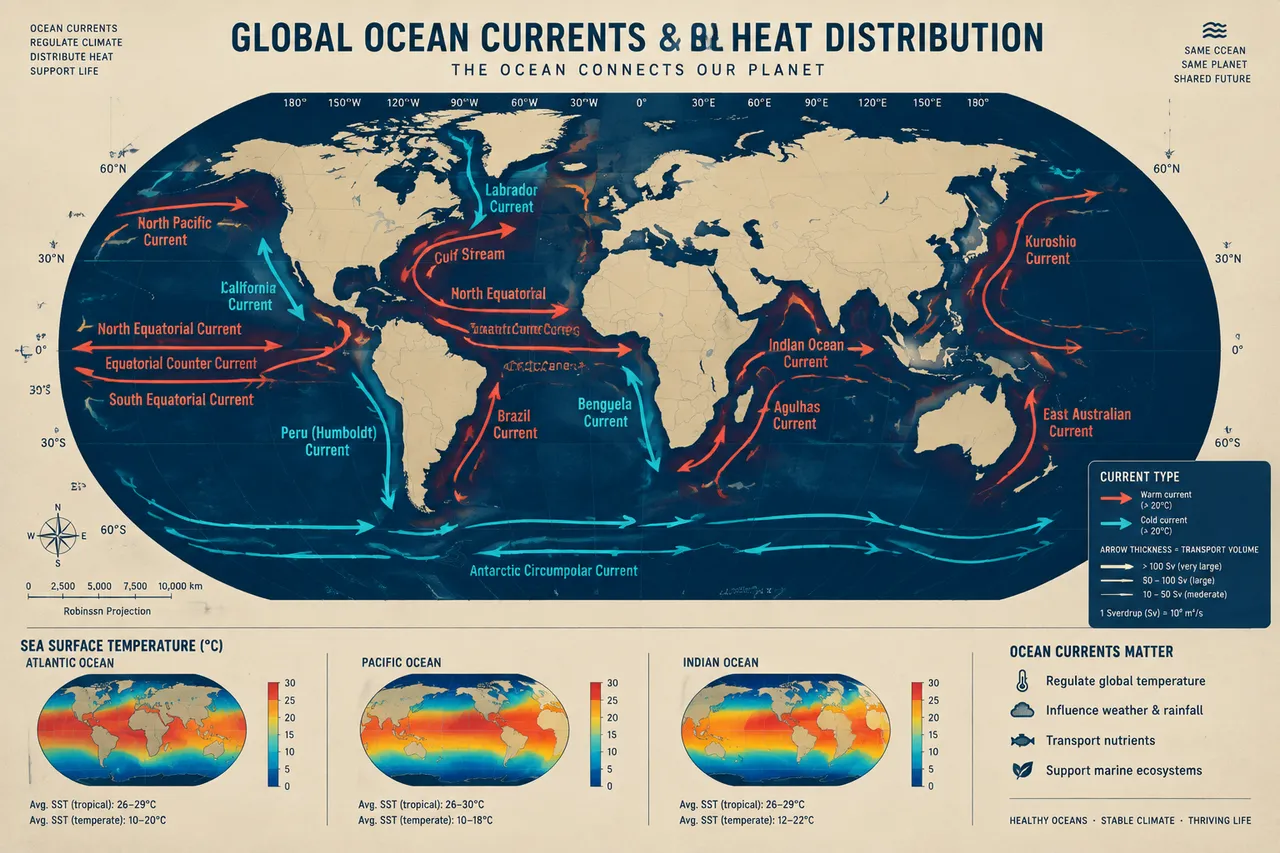
세계 지도에 산호빛 난류와 청록빛 한류의 굵은 화살표로 걸프 해류와 쿠로시오 해류 등을 그려요. 화살표의 굵기가 수송량에 비례하고, 하단에는 해수 온도 비교 막대가 붙어요.
전체 프롬프트 (영문)
Geographic infographic poster mapping global ocean currents and heat distribution, front-view flat presentation. Layout: a large rectangular world map (Robinson-style projection) centered on the poster, with warm currents drawn as thick coral-orange arrows and cold currents as thick cyan arrows flowing in curved paths across the Pacific, Atlantic and Indian Oceans, each labeled with its name such as the Gulf Stream, Kuroshio, Humboldt, Benguela and Labrador currents. A compact legend in the lower right explains arrow thickness as transport volume in sverdrups, and three small inset panels at the bottom compare sea-surface temperature data with small gradient bars for the Atlantic, Pacific and Indian basins. Color system: land silhouettes in warm sand (#E9D8A6), ocean in deep navy blue (#0F2A43), warm currents in coral (#FF6B57), cold currents in cyan (#3EC1D3). Typography: clean sans-serif map labels, bold title with cartographic style. Background: fine latitude-longitude grid with subtle paper texture. Data feel: oceanography atlas chart with precise scale bars. Lighting: even flat cartographic light, no shadows, crisp vector edges. 4k
같은 이미지 만들기:
위 프롬프트를 복사 → ChatGPT 열기 → 붙여넣고 전송(이미지 모델로 전환할 수 있어요) → 결과를 기다리면 돼요.
ChatGPT 열기 ↗
자세한 사용법은
튜토리얼을 참고하세요.
자주 묻는 질문
이 이미지는 어떻게 따라 만들 수 있나요?▾
위의 영문 프롬프트를 복사한 뒤 ChatGPT을(를) 열고 이미지 모델로 전환해 붙여넣고 전송하면, 모델이 비슷한 결과를 만들어 줘요.
어떤 AI 도구를 사용해야 하나요?▾
추천 대상: ChatGPT. 긴 영문 프롬프트를 지원하는 대화형 이미지 생성 도구라면 비슷한 결과를 얻을 수 있어요.
이 프롬프트를 내 입맛대로 바꿀 수 있나요?▾
네, 가능해요. 주제·스타일·색상·구성 단어를 원하는 주제로 바꾸면 돼요. 설명에는 보통 바꿀 수 있는 대표적인 지점(예: swap X for Y)이 안내되어 있어요.
예시 이미지를 자유롭게 사용할 수 있나요?▾
예시 이미지는 본 사이트가 이 프롬프트로 생성한 전시용 이미지예요. 프롬프트 본문은 자유롭게 복사해 사용할 수 있고, 상업적 이용 시에는 사용하는 AI 도구의 약관을 따라 주세요.


