
인포그래픽 추천 대상: ChatGPT
과학 인포그래픽: 심해 깊이 구역
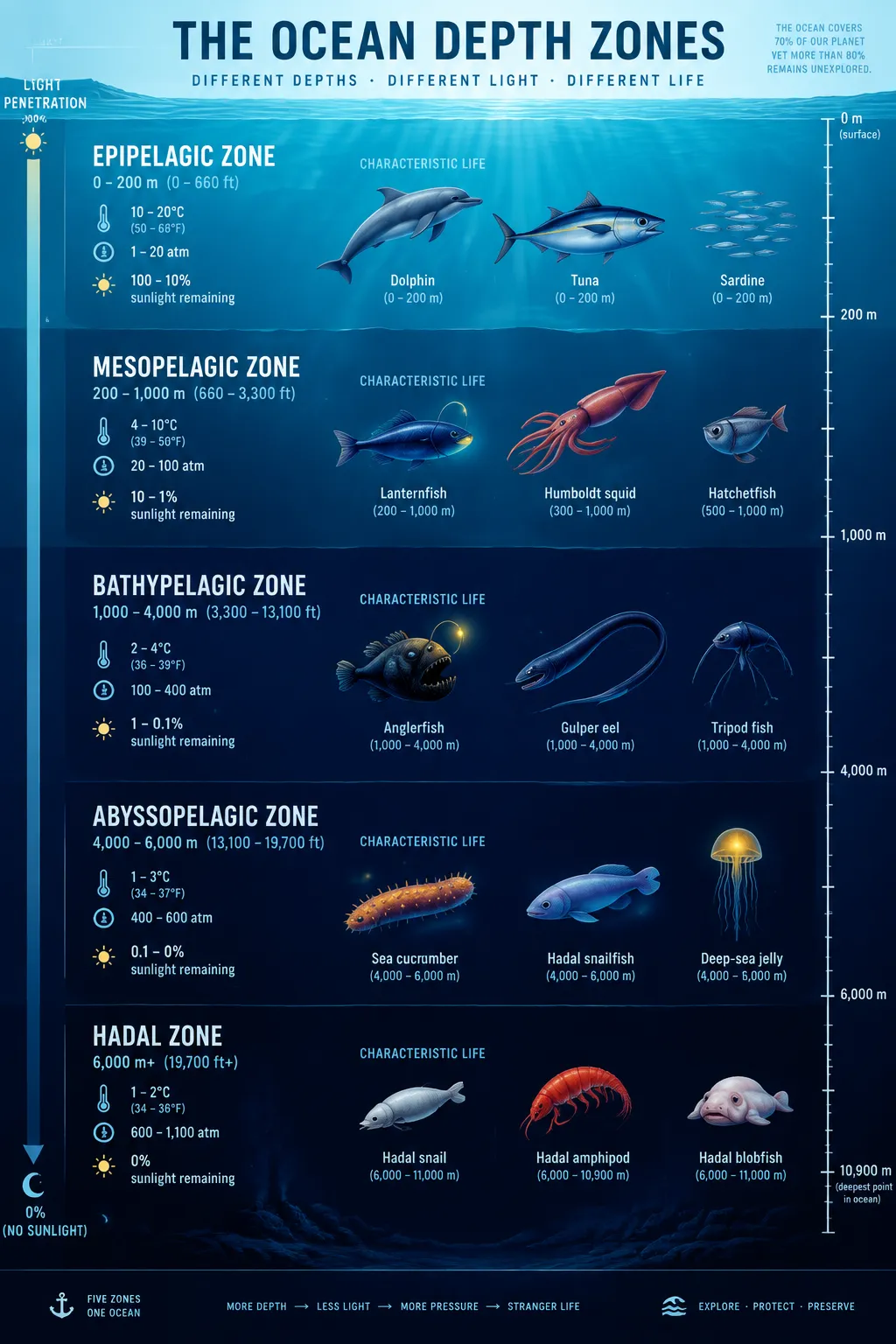
세로 단면이 심해를 다섯 구역으로 나누고, 햇빛 존부터 초심해 존까지 깊이와 수온, 수압이 표시돼요. 돌고래부터 아귀까지 생물 실루엣이 늘어서고 어두운 구역에는 빛나는 노란 점이 포인트예요.
전체 프롬프트 (영문)
Scientific infographic cross-section poster of ocean depth zones, front-view flat vertical presentation. Layout: a tall vertical cross-section panel of the ocean divided into five horizontal bands: epipelagic (0-200m, sunlit), mesopelagic (200-1,000m, twilight), bathypelagic (1,000-4,000m, midnight), abyssopelagic (4,000-6,000m) and hadal (6,000m+), each band labeled with depth range, water temperature, pressure in atmospheres and percentage of sunlight remaining. Each zone shows small flat icons of its characteristic creatures: dolphins, tuna, lanternfish, giant squid, anglerfish, gulper eel, tripod fish, sea cucumber and snailfish. A right-side depth ruler with tick marks and a left-side light-penetration arrow complete the layout. Color system: gradient blues from bright cyan (#48CAE4) at the surface to deep indigo (#0B1B3D) at the bottom, with warm yellow accent icons in dark zones for bioluminescence. Typography: bold sans-serif headers per band, thin numeric data captions. Background: subtle water-line texture with faint vertical light rays from above. Data feel: marine biology textbook plate with precise scale. Lighting: top-down light shaft fading with depth, glow accents on bioluminescent icons. 4k
같은 이미지 만들기:
위 프롬프트를 복사 → ChatGPT 열기 → 붙여넣고 전송(이미지 모델로 전환할 수 있어요) → 결과를 기다리면 돼요.
ChatGPT 열기 ↗
자세한 사용법은
튜토리얼을 참고하세요.
자주 묻는 질문
이 이미지는 어떻게 따라 만들 수 있나요?▾
위의 영문 프롬프트를 복사한 뒤 ChatGPT을(를) 열고 이미지 모델로 전환해 붙여넣고 전송하면, 모델이 비슷한 결과를 만들어 줘요.
어떤 AI 도구를 사용해야 하나요?▾
추천 대상: ChatGPT. 긴 영문 프롬프트를 지원하는 대화형 이미지 생성 도구라면 비슷한 결과를 얻을 수 있어요.
이 프롬프트를 내 입맛대로 바꿀 수 있나요?▾
네, 가능해요. 주제·스타일·색상·구성 단어를 원하는 주제로 바꾸면 돼요. 설명에는 보통 바꿀 수 있는 대표적인 지점(예: swap X for Y)이 안내되어 있어요.
예시 이미지를 자유롭게 사용할 수 있나요?▾
예시 이미지는 본 사이트가 이 프롬프트로 생성한 전시용 이미지예요. 프롬프트 본문은 자유롭게 복사해 사용할 수 있고, 상업적 이용 시에는 사용하는 AI 도구의 약관을 따라 주세요.


