
인포그래픽 추천 대상: ChatGPT
과학 인포그래픽: 고추 매운맛 척도
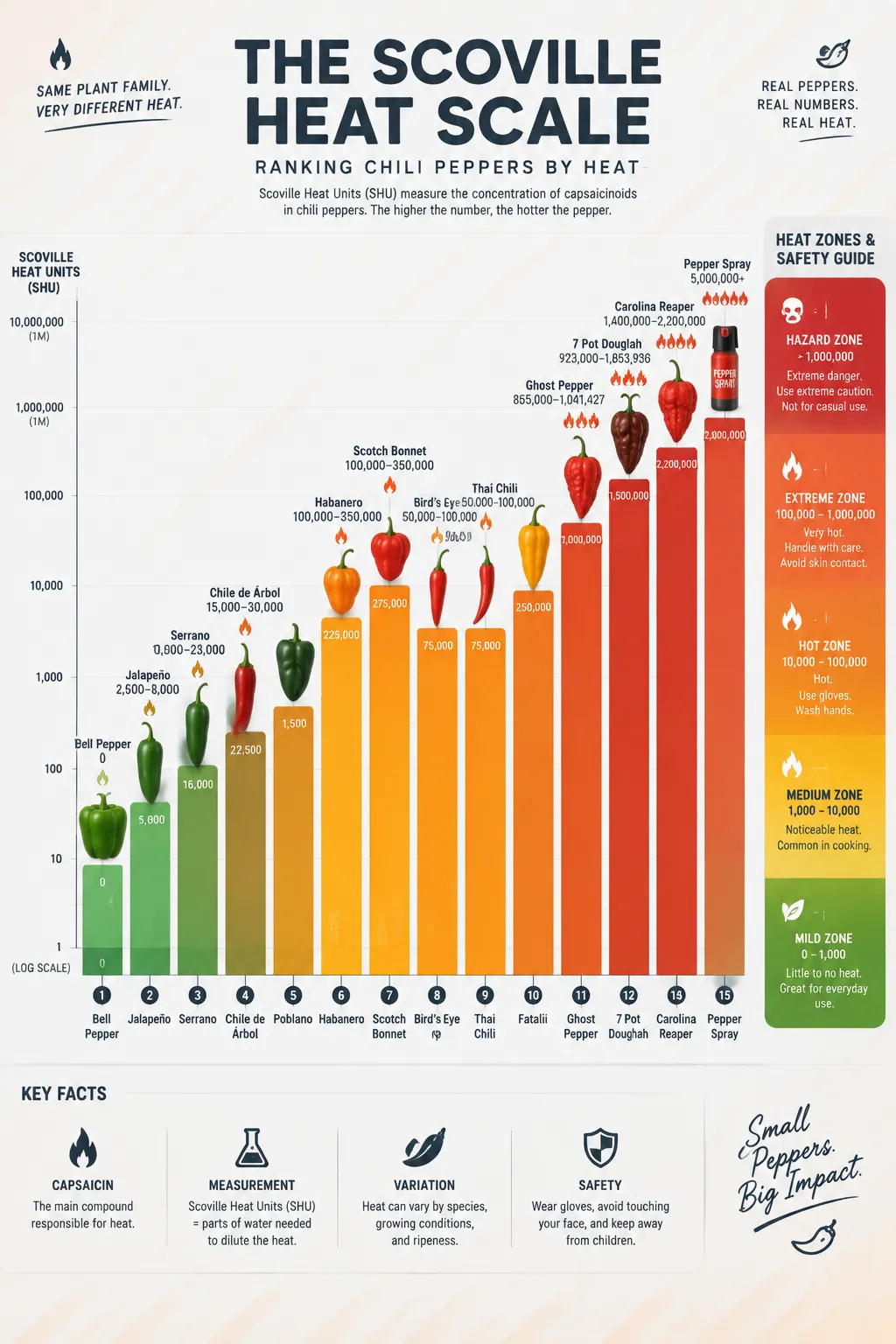
열다섯 단계 세로 막대그래프가 피망부터 캐롤라이나 리퍼까지 스코빌 수치를 나열하고, 불꽃 아이콘이 매운맛에 따라 점점 커져요. 오른쪽에는 순한 구역부터 위험 구역까지 그라데이션 경고 눈금이 놓여 있어요.
전체 프롬프트 (영문)
Infographic poster ranking chili peppers on the Scoville heat scale, front-view flat presentation. Layout: a tall vertical bar chart at the center with fifteen ascending bars, each topped with a flat vector illustration of the pepper variety: bell pepper (0), jalapeño (2,500-8,000), serrano, habanero (100,000-350,000), scotch bonnet, bird's eye, ghost pepper (over 1,000,000), Carolina Reaper (over 2,200,000) and pepper spray reference at top. Each bar shows the SHU value in bold data labels, with a small flame icon whose size grows with heat level. A safety scale on the right side marks mild, hot, extreme and hazard zones with gradient bands. Color system: gradient from fresh green (#4CAF50) through yellow (#FFC107) and orange (#FF7043) to deep red (#D32F2F), on a light gray background (#FAFAFA) with dark charcoal text. Typography: bold sans-serif numbers, playful rounded labels. Background: subtle diagonal heat-wave texture. Data feel: scientific measurement chart with log-spaced scale markers. Lighting: bright even studio light, glossy highlights on peppers, crisp shadows. 4k
같은 이미지 만들기:
위 프롬프트를 복사 → ChatGPT 열기 → 붙여넣고 전송(이미지 모델로 전환할 수 있어요) → 결과를 기다리면 돼요.
ChatGPT 열기 ↗
자세한 사용법은
튜토리얼을 참고하세요.
자주 묻는 질문
이 이미지는 어떻게 따라 만들 수 있나요?▾
위의 영문 프롬프트를 복사한 뒤 ChatGPT을(를) 열고 이미지 모델로 전환해 붙여넣고 전송하면, 모델이 비슷한 결과를 만들어 줘요.
어떤 AI 도구를 사용해야 하나요?▾
추천 대상: ChatGPT. 긴 영문 프롬프트를 지원하는 대화형 이미지 생성 도구라면 비슷한 결과를 얻을 수 있어요.
이 프롬프트를 내 입맛대로 바꿀 수 있나요?▾
네, 가능해요. 주제·스타일·색상·구성 단어를 원하는 주제로 바꾸면 돼요. 설명에는 보통 바꿀 수 있는 대표적인 지점(예: swap X for Y)이 안내되어 있어요.
예시 이미지를 자유롭게 사용할 수 있나요?▾
예시 이미지는 본 사이트가 이 프롬프트로 생성한 전시용 이미지예요. 프롬프트 본문은 자유롭게 복사해 사용할 수 있고, 상업적 이용 시에는 사용하는 AI 도구의 약관을 따라 주세요.


