
Infographic Recommended: ChatGPT
Infographic: Time-Management Quadrant
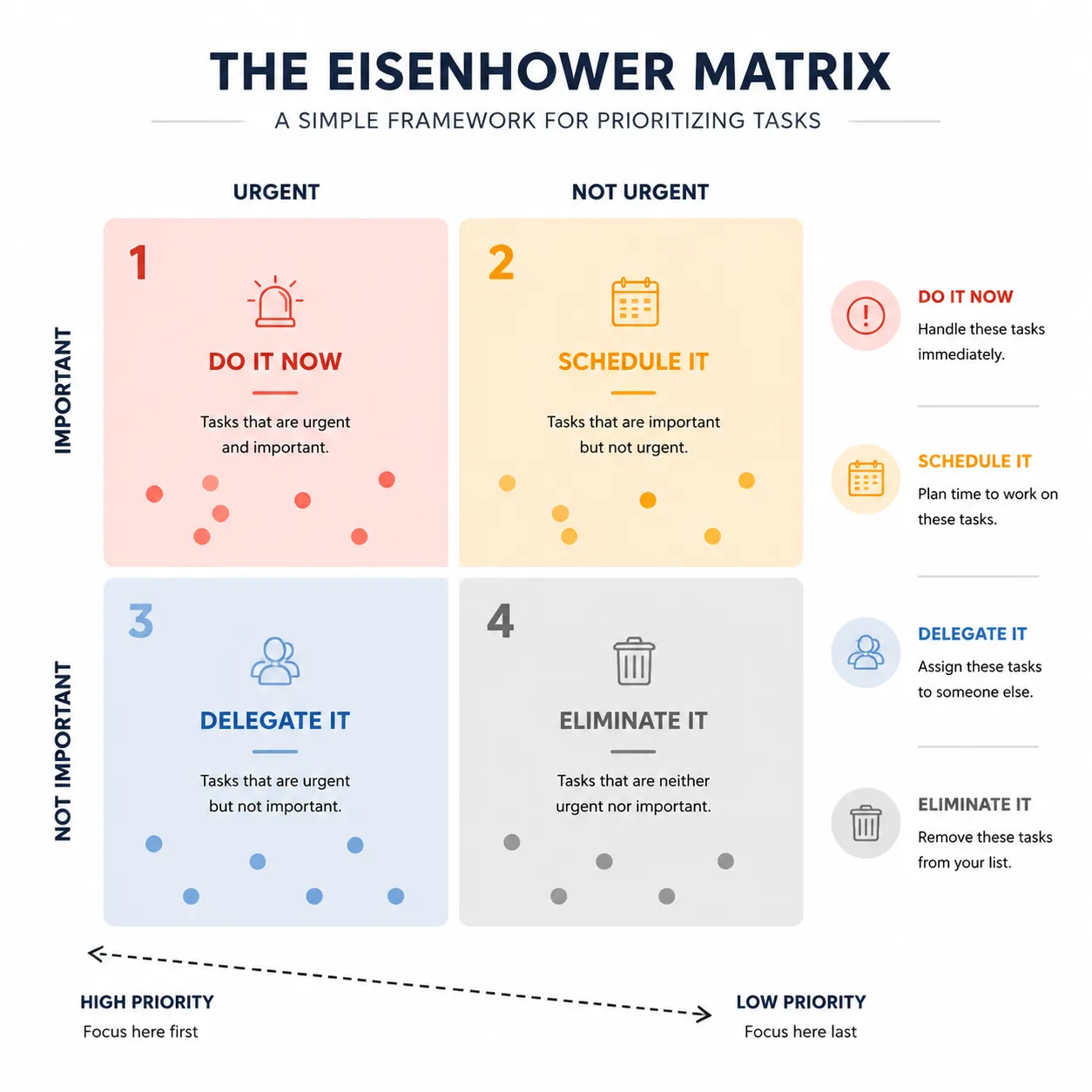
A 2x2 time-management matrix: priority color coding and clean layout — the trade-off rule of important-urgent.
Full prompt (English)
Minimal time-management infographic of the four-quadrant matrix, a large square divided into two by two grid sections each with a distinct pastel color: red-toned for urgent-important, amber for important-not-urgent, blue for urgent-not-important and grey for neither, gridline dividers and a diagonal axis label, small dot markers representing tasks scattered in each quadrant, abstract placeholder labels to avoid garbled text, clean flat vector design, white background, orderly professional productivity mood, high resolution, 4k
Recreate this:
Copy the prompt above → open ChatGPT → paste and send (you can switch the image model) → wait for the result.
Open ChatGPT ↗
For step-by-step details, see the
tutorial.
FAQ
How do I recreate this image?▾
Copy the English prompt above, open ChatGPT, switch to an image model, paste the prompt and send — the model will generate the same look.
Which AI tool should I use?▾
Recommended target: ChatGPT. Any conversational image tool that supports long English prompts can reproduce an approximate result.
Can I customize this prompt?▾
Yes — swap the subject, style, colors or composition words with your own. The description often points out typical swap points (e.g. “swap X for Y”).
Can I use the sample image freely?▾
The sample image was generated by us with this prompt for display only; the prompt itself is free to copy and use. For commercial use, follow the terms of your chosen AI tool.


